
Choose what your agent may do
A long list of checkboxes tends to get approved in full. Nobody reads twelve of them carefully, and the twelfth is usually the one that mattered.
So Flui does not ask you to tick scopes. You switch on permission groups: sixteen of them, each described by one sentence written for a person, and each granted or refused as a whole. The sentence you agree to is exactly what the key carries.
This page assumes you already have an agent connected, or are about to. If not, start at Connect an agent.
Two axes
A group is a pair of an area and a depth. The area is what the agent is trusted with. The depth is how far into it: look, change or destroy. Within one area a deeper group contains every shallower one, so switching on “Delete applications” also switches on the other two.
Not every pair exists. There is no group for deleting a backup and none for sending mail, because the scopes those would be built from are not in the catalogue.
| Area | Look | Change | Destroy |
|---|---|---|---|
| Applications | See applications | Deploy and operate applications | Delete applications |
| Logs and health | Read logs and health | none | none |
| Backups | See backups | Run backups | none |
| Migrations | See migrations | Run migrations | Abort and tear down migrations |
| See mail delivery | none | none | |
| Who has access | See who has access | Grant and revoke access | none |
| Infrastructure | See the infrastructure | Operate the infrastructure | Remove infrastructure |
| Platform | none | Update the platform | none |
The sections below give the sixteen sentences in the product’s words.
Applications
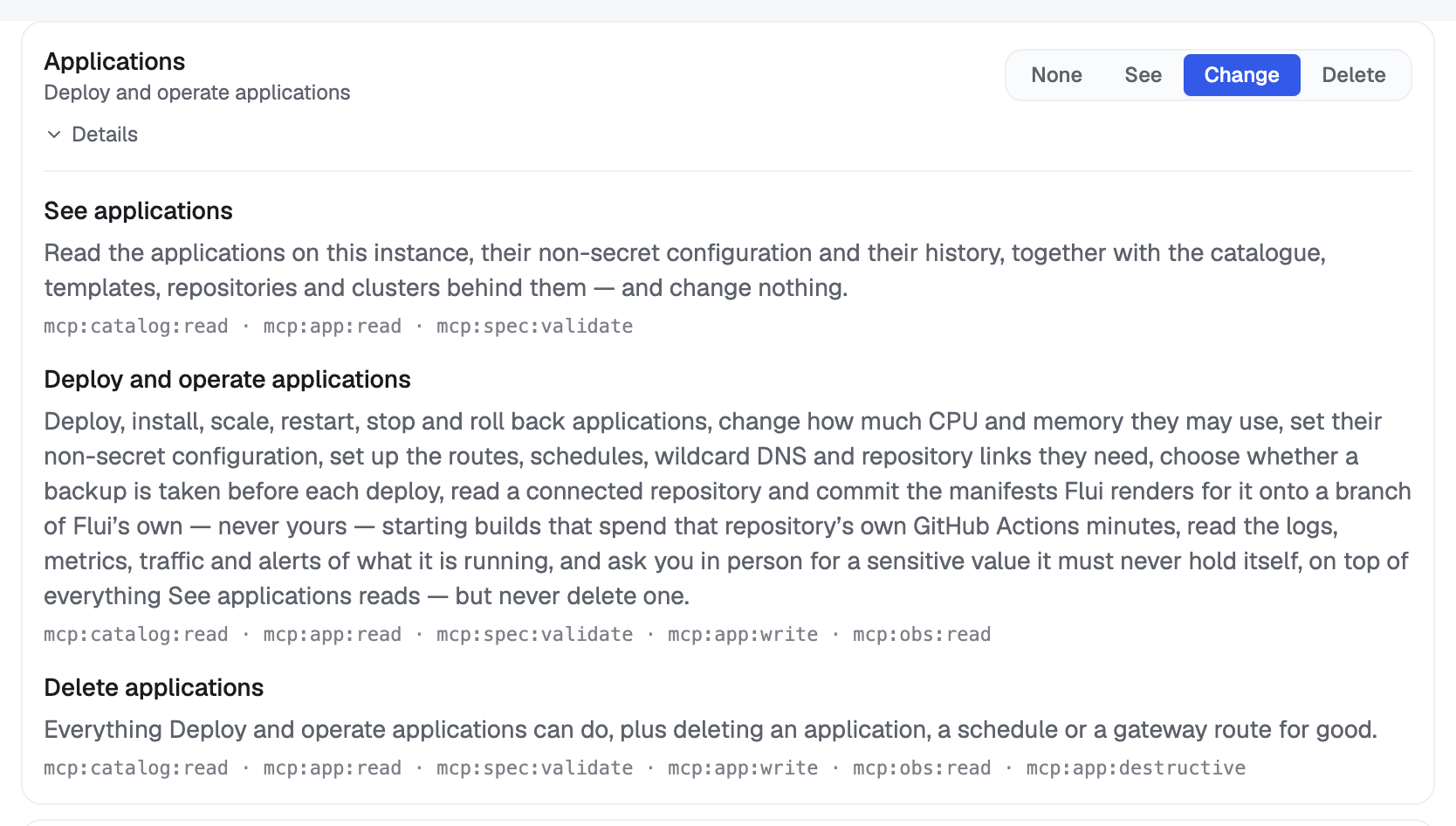
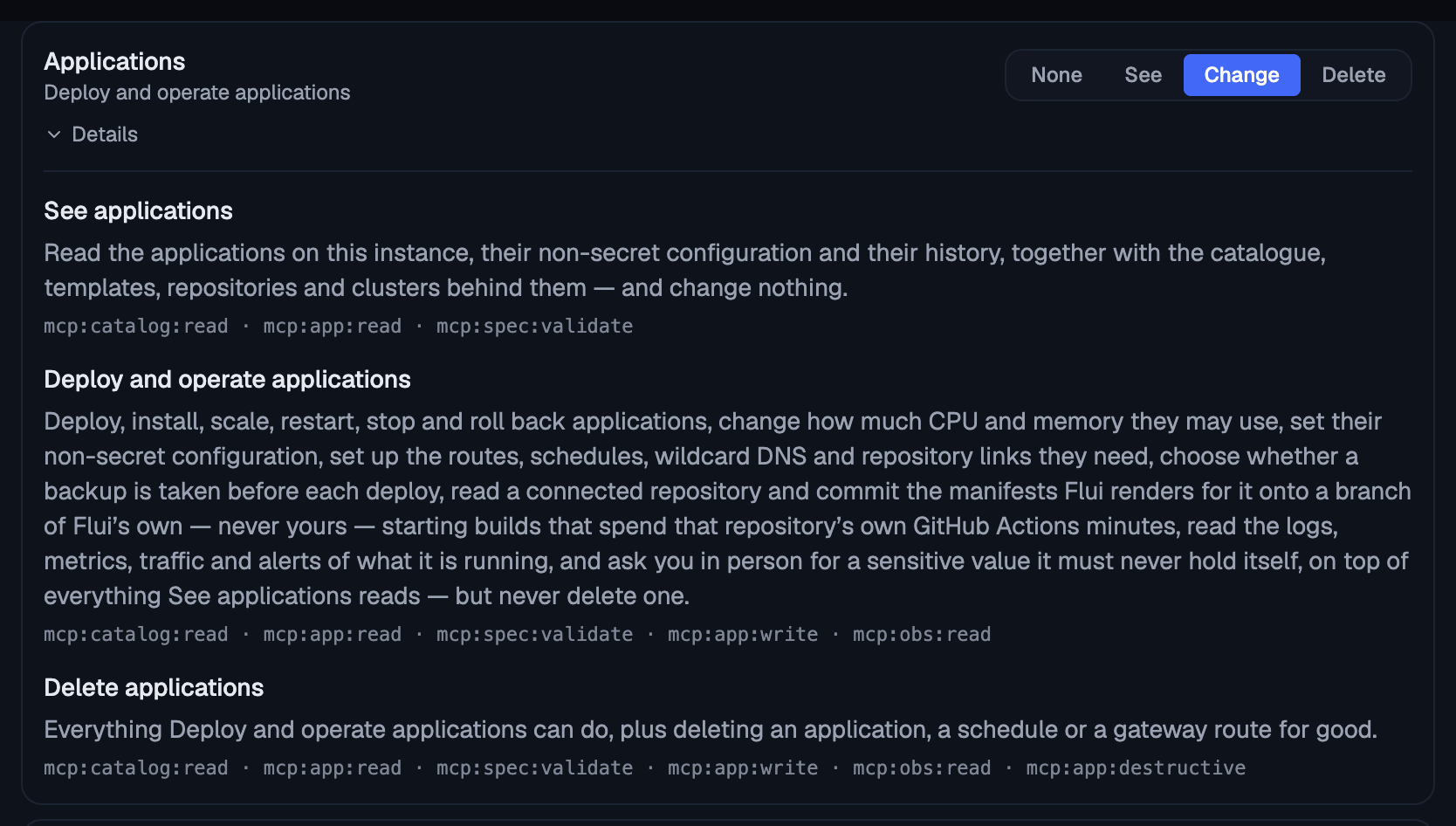
See applications. Read the applications on this instance, their non-secret configuration and their history, together with the catalogue, templates, repositories and clusters behind them, and change nothing.
Deploy and operate applications. Deploy, install, scale, restart, stop and roll back applications, change how much CPU and memory they may use, set their non-secret configuration, set up the routes, schedules, wildcard DNS and repository links they need, choose whether a backup is taken before each deploy, read a connected repository and commit the manifests Flui renders for it onto a branch of Flui’s own (never yours), starting builds that spend that repository’s own GitHub Actions minutes, read the logs, metrics, traffic and alerts of what it is running, and ask you in person for a sensitive value it must never hold itself, on top of everything See applications reads, but never delete one.
Delete applications. Everything Deploy and operate applications can do, plus deleting an application, a schedule or a gateway route for good.
The middle group is wider than its name, and its sentence says so: deploying includes reading logs and metrics. An agent that can deploy but cannot read why a deploy failed is of little use, and the design avoids needing a second switch to make the first one work.
One side effect: groups are worked out from the scopes a key holds, so a key carrying only this group also reads back as Read logs and health. That is accurate, since the key can read logs.
Logs and health
Read logs and health. Read the applications on this instance together with their logs, resource metrics, edge traffic and alert history, and change nothing.
Backups
See backups. Read the backup posture: which policies exist, where they write, how the recent jobs went, and which volumes on a cluster are still being paid for by applications that no longer exist.
Run backups. Read the backup posture and act on it (run a backup now, pause or resume a policy) without deleting a policy or a stored backup.
Migrations
See migrations. Read the migrations on this instance and how far each one has got.
Run migrations. Start and cut over migrations between clusters, and read the applications and clusters they move between.
Abort and tear down migrations. Everything Run migrations can do, plus aborting a migration and destroying the source it moved away from.
See mail delivery. Read whether mail is set up here, what the provider did with recently sent messages, and which addresses have been suppressed.
Recipient addresses are personal data, which is why this is its own area rather than part of logs. An agent with access to logs does not get everyone’s email with it.
Who has access
See who has access. Read who on this instance can reach what, and what removing or changing one of those grants would take away from them, and change none of it.
Grant and revoke access. Everything See who has access reads, plus giving somebody a role over this instance or taking one away; an agent holding this decides what other people can reach, and it can never hand out more than you hold yourself.
This is the only switch that lets an agent decide what someone else may reach, so it is a group of its own. It is not included in any other group on the instance, so it can never arrive hidden inside “deploy my applications”. An agent holds it only if you switched it on by name after reading the sentence. Even then, it cannot hand out more than you hold yourself.
Infrastructure
See the infrastructure. Read how this instance is built and what changing it would cost (the capacity plan of a cluster, its nodes and what resizing one would take down, its shared storage, its platform components, its certificate issuers, whether it hosts its own DNS, and the scaling groups that say how large each cluster may grow together with what they decided and declined to decide), and change none of it.
Operate the infrastructure. Everything See the infrastructure reads, plus acting on it: creating a cluster, adding, resizing and uncordoning its nodes, expanding its shared storage, stopping and starting it, changing its autoscaling, enabling its firewall, redeploying a platform component, configuring its certificate issuers, issuing a SAN certificate, publishing the records a sending domain needs and setting the scaling group that says how large a cluster may grow and how much it may spend unattended; and every one of those stops to ask you before it happens, with what it costs attached.
Remove infrastructure. Everything Operate the infrastructure can do, plus draining a worker node and deleting the machine at the provider. It cannot delete a cluster, which no agent credential can be given.
The middle group states the pause in the sentence you read before saying yes. Holding the group does not count as approval: every route behind it goes through Flui’s action cycle, so the agent gets a request with the estimate attached, and nothing happens until a person answers. See When your agent stops to ask you.
Deleting a cluster is not on the list and cannot be added. No scope on this instance carries it, and a test checks this so nobody adds it while tidying up.
This area is separate from applications because stopping a cluster stops everything on it, and expanding a volume is a one-way cost. Neither is what “deploy my applications” promises.
Platform
Update the platform. Plan a new Flui release phase by phase (backup, system manifests, platform images, K3s and the checks) and apply that plan, which stops to ask you first, naming the release, because it replaces the control plane and runs database migrations only the backup can undo.
It is kept apart from operating the infrastructure for that last reason: a rollback does not undo a migration.
Granted whole, or refused whole
A group never comes back smaller than you asked for.
If a group names something your own permissions do not cover, the whole request fails, and the refusal names the group that caused it, not only the underlying scope. A message naming only a scope would leave you guessing which switch to turn off.
The same rule applies when you are already holding a limited key yourself. A key is never worth more than whoever asked for it, so the scopes a group names must already be among the scopes of the credential making the request.
A request that names no group is also refused. The widest credential the instance can issue has to be asked for explicitly.
A key only narrows access
Switching on a group can only take away. It narrows what a credential may reach and never adds to what the person behind it may do: every call still meets the same access checks it would have met anyway. An agent given “Grant and revoke access” by someone who cannot assign roles can assign nothing.
The ceiling applies everywhere the key is presented, not only to the agent toolbox. The same key used against plain HTTP, or on a live-updates connection, is held to the same scopes.
Two ceilings can apply at once, and each is fixed differently:
- The scope ceiling: the key was never granted this capability. Fix it by issuing a new key.
- The application ceiling: the key is limited to particular applications or projects. Fix it by widening the same key, which keeps working; nothing has to reconnect.
The two refusals are worded differently so that an agent relays the right instruction instead of retrying forever.
One capability nobody switches on
Every scoped key carries one thing you did not pick: the ability to read the “how to operate this instance” document.
It is added to every key when the key is minted, so an agent can learn how work is done here before it is trusted with any of it. The document is the same for every credential on an installation, it is read-only, and it permits nothing on its own, so there is no checkbox for it.
The caution about attaching scopes to a person
Agent scopes can also arrive from the identity provider, as roles on an account. If someone attaches them to a person’s account, meaning “this is for their agent”, they cap that person too. Every session that account opens is capped, including their browser session.
That enforcement is correct: a credential that declares a ceiling is held to that ceiling wherever it is presented. When the dashboard goes read-only for this reason, the refusal says where the scopes came from and what to do: agent scopes belong on a machine account, not on a person.
Choosing them
There is no --groups flag. Groups are an API and
dashboard concept, and the CLI does not know their
names. From a terminal you mint by raw scope:
flui auth generate-api-key \ --name agent \ --scope mcp:app:read \ --scope mcp:obs:readRepeat --scope for each one. A scope you do not hold
yourself is refused, not trimmed, which is the same rule
the groups follow, one scope at a time.
You must name something. Naming neither --scope nor
--unscoped is refused before the command touches the
network:
flui auth generate-api-key --name ci --unscoped--unscoped issues a key with no ceiling at all,
carrying your full weight. Use it only when you mean to.
To list and revoke keys:
flui auth api-keysflui auth revoke-api-key <id>flui auth api-keys prints names, state and the raw
scope list. It does not translate scopes into group
names; that view lives on the dashboard and in the API.
An unscoped key shows as “the full weight of the
issuer”.
The terminal also differs in two ways. The key is saved
straight into the active profile instead of being
printed; the server keeps only a digest of it, so
nothing on the installation can hand it back later. And
the command needs a session token from the identity
provider, passed with --token or FLUI_SESSION_TOKEN,
not the API key you already have.
Settings → Agent keys is where the groups appear: one row per area, with a level to pick (None, See, Change or Delete, only the ones that area has). A deeper level includes every shallower one, so each area holds one pick. Details on a row shows each level’s sentence and the scopes it carries, in full.
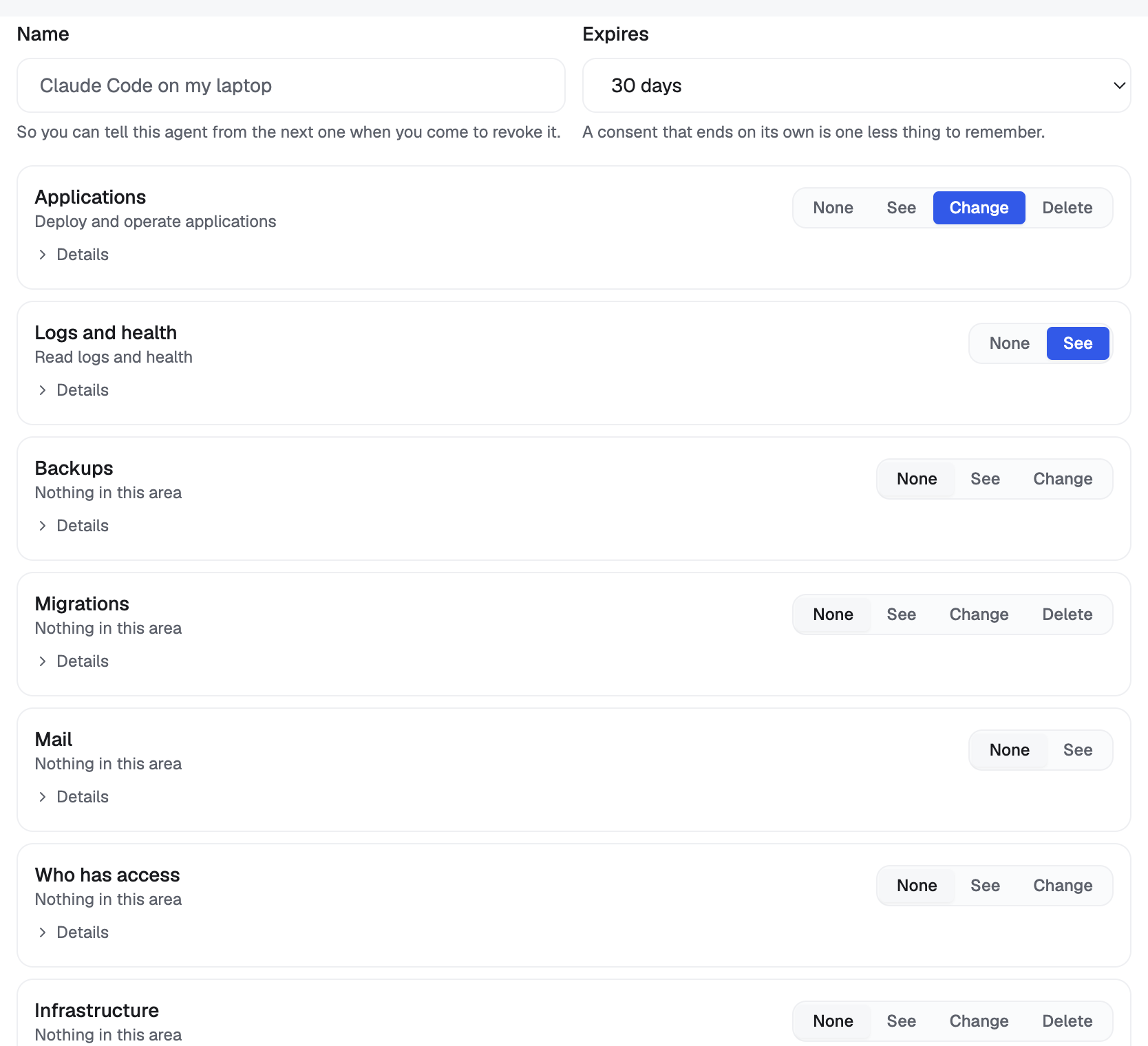
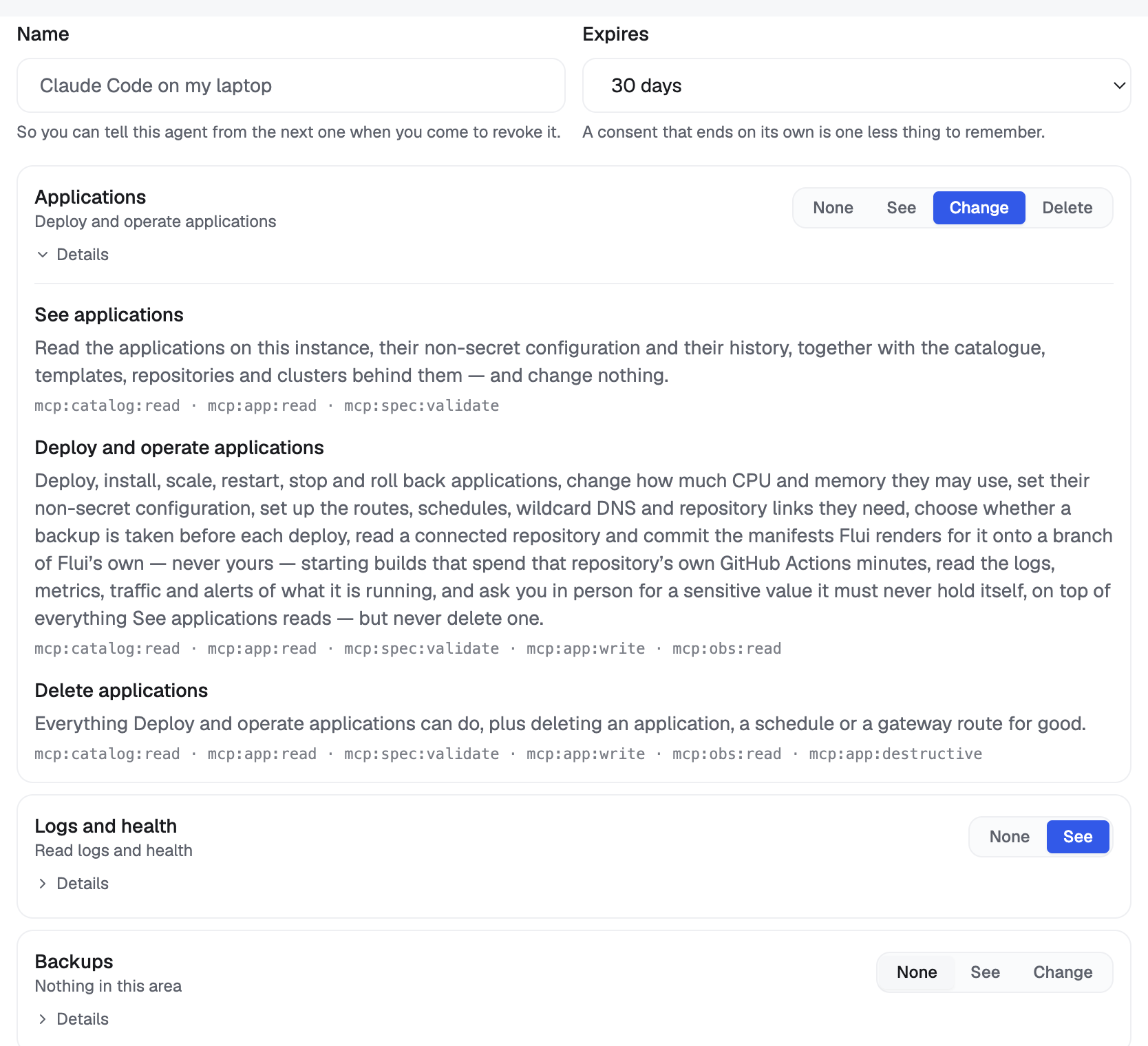
Above the rows, the screen tells you how many of the groups on this instance are yours to hand on. A level that is not yours is shown disabled, not hidden: it has a lock, and under Details it is marked “Not yours to grant”, with a line naming the capability your own permissions do not cover. It is the same refusal you would meet when minting the key.
You also give the key a name and an expiry. The name helps you later, when you revoke a key and need to tell this agent from the next. The expiry defaults to 30 days, so the consent ends on its own.
At least one area must be set. A key with nothing picked would carry your full weight, and you should not end up with that by leaving a form empty.
Two optional narrowings sit under the areas, independent of the groups:
- Which applications: limit the key to particular applications. The default is every application you can already reach.
- Which projects: grant whole projects instead. An application added to a granted project later is reached too, with nothing to reissue.
They combine: an application is reachable if either list covers it. Both can be changed on an existing key without reissuing it, with the Applications and Projects buttons on each row in the list below.
The list of keys you have issued shows each one as the groups it carries. Two labels can appear there:
- Wider than its name: the key holds scopes that the groups on its row do not account for, because it was assembled by hand rather than from the levels. Read the scopes under Details, not the badges.
- You are signed in with this: the key you are using right now.
No agent chooses its own
There is no agent tab above, because nothing in the agent toolbox mints a key.
An agent can ask for one. api_key_request takes what
the key is for, in one line, and the scopes the agent
thinks it needs. It returns a command for you to run in
your own terminal, plus the keys that already exist on
the account, by name and scope, never by value. None of
its arguments can carry a key in either direction.
It never puts --unscoped in that command, so the
widest credential on the instance is never the easiest
thing for an agent to ask for.
Where this goes next
- Connect an agent: minting the credential and pointing an agent at it.
- When your agent stops to ask you: what happens when a write behind one of these groups pauses for a person.
- The Flui assistant and MCP: what the toolbox is and how a scope decides which tools an agent is offered.
- CLI: Authentication: the flag surface for keys and sessions.