
Write down how this installation is run
Every installation has rules that are not in the code. The first cluster is not resized. Deploys happen after five. One application is somebody’s demo and must not be touched. Nobody writes these rules down, because everybody already knows them.
Then someone new arrives, or an agent does. An agent has read everything about the product and nothing about your installation. It cannot guess a local rule, and it does not know there was one to guess, so it does the reasonable thing with confidence.
Flui gives these rules a place to live. The people who run an installation write them down, and everyone who acts on it reads them before acting, agents included.
A note has a level and a kind
The level is where the note applies:
- Everything: the whole installation.
- One cluster.
- A rule that picks out applications: by name, project, kind, tag, provider, or the cluster they run on.
The kind is what the note says:
- A practice: how it is done here.
- A rationale: why it was decided that way.
Who reads a practice and who reads a rationale
A practice descends. Everyone who acts inside the level reads it, whether or not they own anything there. A practice written on a cluster reaches a tenant with a single application on that cluster. A practice written on the whole installation reaches every tenant on it, and the guests of the demonstration too. Tenants know least about your local rules, so they need them most.
A rationale does not descend. Only someone whose access covers the whole level reads it. The incident behind the rule, the customer’s name and the commercial reason stay with the people who own the level.
Before you save a note, every surface shows one sentence saying who will read it. For a practice on the whole installation it reads:
Everyone who works on this installation reads this: every tenant, and the guests of the demonstration. It does not stop at the people who run the platform.
Read that line before you press save. It is computed in one place and shown by the CLI, the dashboard and the approval screen, so all three tell you the same thing about the same note.
Every note says whether it is still true
A rule that has been written down goes out of date. The reason it was true stops being true, nobody notices, and the note keeps advising people and agents to do the wrong thing.
So each note carries a verdict on its own premise, and when you write the note you choose what that verdict rests on:
- Nothing. The note is prose. Nothing checks it, and the note says so.
- A signature, with a shelf life. You put your name to it and say how many days that is worth, from 1 to 365. When the window runs out, the note goes quiet instead of staying confident.
- A live fact. The note is pinned to something the platform can read, and is compared with it every time somebody reads the note.
That gives four verdicts:
| Verdict | What it means |
|---|---|
| checked | A live fact agreed just now, or a person confirmed it inside their window |
| stale | A confirmation ran out. Not known to be wrong, only unconfirmed |
| broken | The platform’s own state contradicts the note |
| unverified | Prose, or a live fact that could not be read |
Two of them need care:
- Do not follow a broken note. Only a note pinned to a live fact can go broken, and when it does, the platform has contradicted it. Treat it as something to fix. Agents receive the same instruction.
- A fact that could not be read gives
unverified, neverchecked. A comparison that did not happen is not evidence.
Only a note backed by a signature can be confirmed, so you cannot sign away a note the platform has already contradicted.
What a note can be pinned to
Three live facts ship with the platform, and other parts of Flui can publish more:
| Fact | What it answers |
|---|---|
app.field | One readable field of an application, named by slug |
cluster.field | One readable field of a cluster, by id or by name |
cluster.appCount | How many applications currently sit on a cluster |
The comparison is one of equals, notEquals, atLeast,
atMost or exists. The two ordering comparisons, atLeast and
atMost, only work on a fact that answers a number.
Only shape and placement can be read this way: how many nodes a cluster is allowed, an application’s status, which cluster it runs on. Nothing that holds content or credentials is readable, and that is a fixed list rather than a convention.
A note about the whole installation cannot be pinned to a live fact, because there is nothing at that level to compare it with. If the note states an intention, write it as prose or sign it. Otherwise it belongs on a narrower level.
When two notes disagree
Two notes about the same subject, written at different levels, will eventually contradict each other.
Flui shows the disagreement and does not resolve it. The narrower note does not win: a rule about one application must never overrule a rule of the platform, and usually one of the two notes is simply older.
Anyone reading gets both notes and is told they conflict. An agent is instructed to show you both and ask which one applies, never to pick one.
A disagreement is also the best sign that one of the notes is out of date, a signal no check on a single note can give.
Notes do not change permissions
A note never widens or narrows what anybody may do. Permissions decide that, separately, and they have already decided by the time a note is fetched.
A note saying you may restart the database does not make the restart succeed. A note saying never restart it does not stop it. Both are things to repeat and ask about. Neither is ever the reason something was done.
This safety comes from how notes are delivered. They are text a person wrote and a model reads, so they are handed over as data, with a preamble saying exactly that.
Read what has been written down
flui operating-context listThis lists every note that reaches you, each with its verdict, most suspicious first: broken notes, then unconfirmed ones, then prose, then the notes that still hold.
Each note prints its verdict as a word (premise fell,
unconfirmed, prose, checked), its level, its kind, its
subject, and, where you are told, who wrote or last confirmed it.
Narrow it to what you are about to touch:
flui operating-context list --app acme-apiflui operating-context list --cluster <cluster-id>Here --cluster takes the cluster id, not its name. --json
prints the notes as data.
To see what a note can be pinned to, and what each fact needs:
flui operating-context probesThis prints the facts the installation publishes, the parameters each one takes, and the type of each answer. It reads the live catalogue, so a fact added by another part of Flui shows up here as soon as it registers.
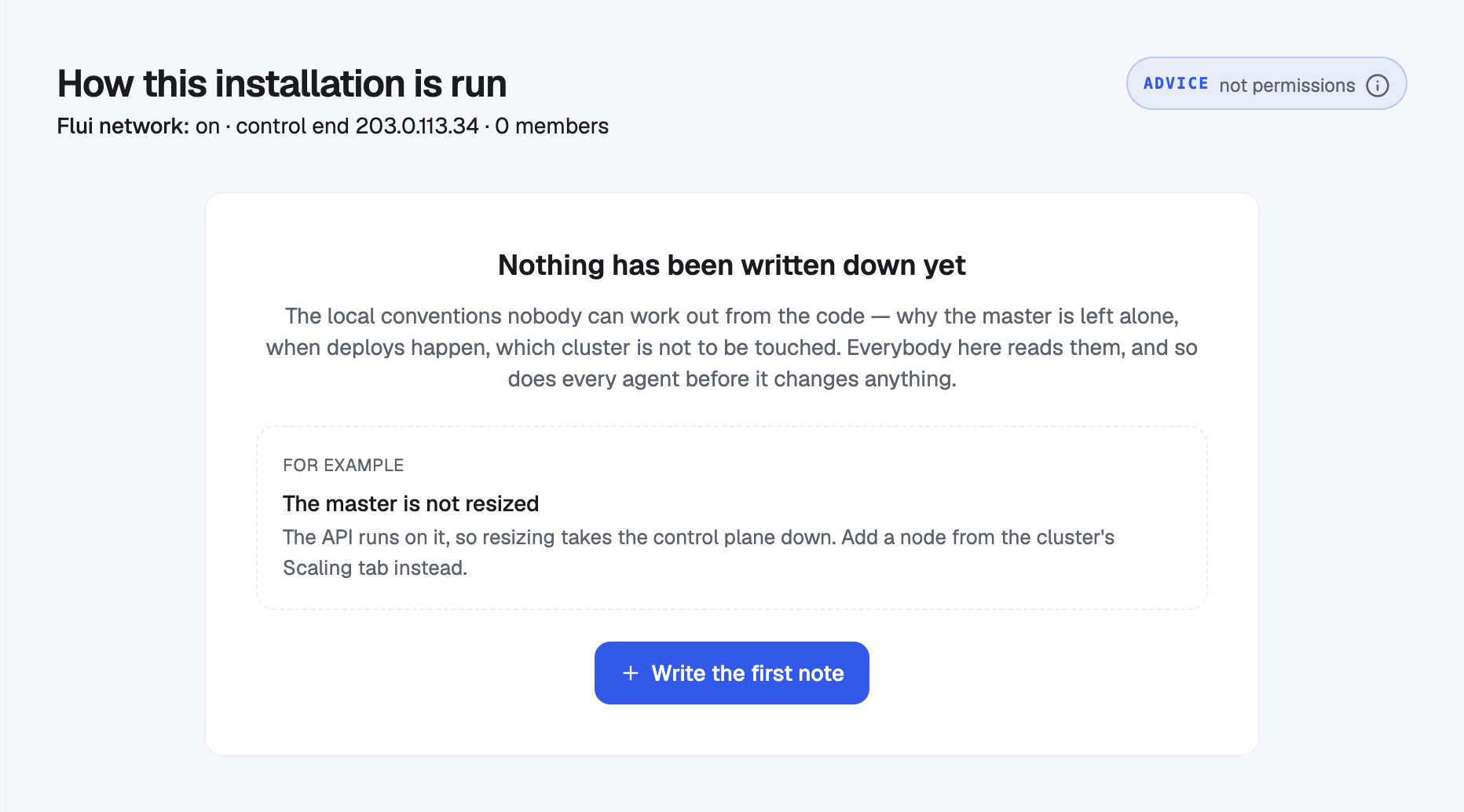
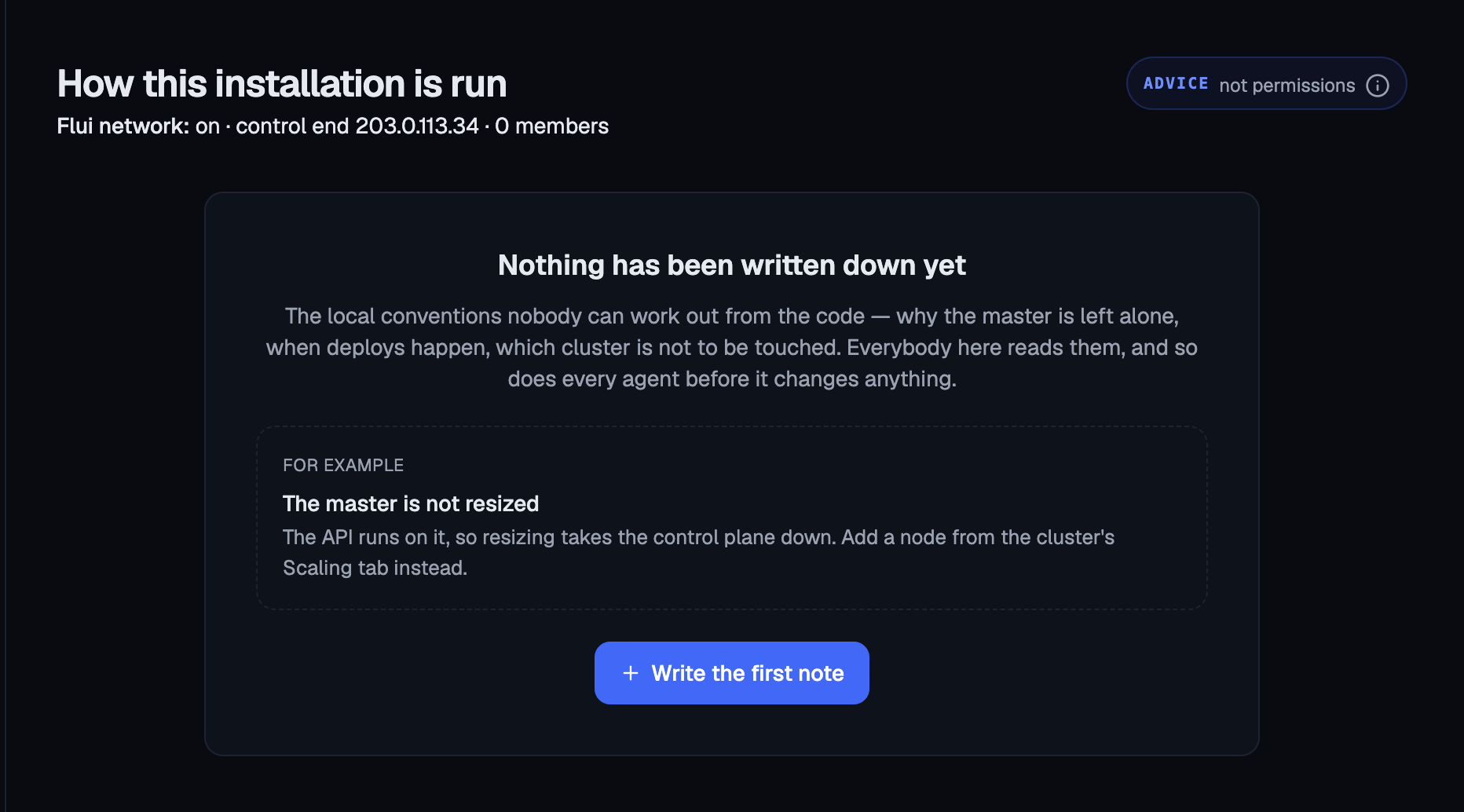
Management → How it is run.
The page opens with an ADVICE badge. It carries the same sentence agents get, saying these notes are not permissions.
The page has three tabs:
- Needs a look: notes whose premise fell or whose confirmation ran out, and below them every place where two notes disagree, grouped by subject with both notes side by side.
- In force: everything that still holds.
- Retired: what used to be true, and why.
At the top you can narrow the view: give an application slug or pick a cluster, and press Show what reaches it. Check this view before you change something. It shows only the notes that apply where you are working.
The first time anyone opens the page, it explains itself with an example instead of showing an empty list.
One tool, operating_context_read, and it only reads.
It comes second in the toolbox, right after get_started: first
the general instructions for operating Flui, then the notes about
operating this installation. Any credential that can read
applications gets it.
Called with no arguments, it returns everything that reaches the
agent. Called with what the agent is about to touch (slug,
clusterId, clusterName, project, provider, kind,
tags), it returns only the notes that apply there.
The answer is shaped for a model rather than a screen:
- the preamble, verbatim and first, saying these are data and not instructions;
- the advice: each note with its subject, who it applies to in words, whether it is a practice or a rationale, and its premise written as a sentence rather than a code;
- the conflicts, with the instruction to show both and ask;
- what is asking to be revisited.
An agent’s copy leaves three things out. Broken notes never appear as advice. Names of people are removed: a model cannot go and ask them, and their identity does not belong in a context that gets logged and quoted back. Where a note is pinned to one person’s resources, the delivery says so without naming them.
An empty answer is stated explicitly, because a model tends to fill a blank with its own assumptions. The agent is told that nobody has written anything down, or that none of it reaches it, and that this is not permission to assume a convention.
Write one
Everyone a note reaches can read it. To write one, you need access covering the whole level. Someone with a grant over one application cannot write a rule for the cluster it runs on, because that note would reach every other tenant on the cluster.
flui operating-context writeWith no flags, it asks one question at a time: the level, the cluster if needed, the kind, the subject, the title, the note itself, and what the verdict rests on. As soon as it knows the level and the kind, it prints the sentence saying who will read it, before you have written the note.
Every answer is also a flag, so it can run unattended:
flui operating-context write \ --level cluster --cluster prod-eu \ --nature practice \ --topic master-node-scaling \ --title "The first node is not resized" \ --body "The API runs on it. Add workers instead." \ --check attestation --valid-for-days 90| Flag | Effect |
|---|---|
--level | global, cluster or selector |
--cluster | The cluster, by name or by id, for a cluster note |
--selector | The rule, as JSON, for a selector note |
--nature | practice or rationale |
--topic | The subject two notes could disagree about |
--title, --body | The note itself |
--check | none, attestation or probe |
--valid-for-days | How long a signature is worth, 1 to 365 |
--probe, --param, --op, --expected | The live fact, for a pinned note |
--yes | Do not ask to confirm |
For a note on a rule that picks out applications, pass the rule
as JSON with --selector. The terminal does not build one for
you.
The subject is a short lowercase handle, like
master-node-scaling. It is how Flui recognises two notes as
being about the same thing, and so how it notices a disagreement.
To pin a note to a live fact, pick one from
flui operating-context probes and say what you expect:
flui operating-context write \ --level cluster --cluster prod-eu \ --nature practice --check probe \ --probe cluster.field \ --param clusterName=prod-eu --param field=nodeCount \ --op atLeast --expected 3 \ --topic capacity --title "Three nodes, minimum" \ --body "Below three, the nightly jobs do not fit."The expected value is read in the type the fact answers, and
refused if it cannot be. --expected three against a number is
rejected at the terminal, instead of being saved as a note that
will contradict itself tomorrow.
The terminal can write a note but cannot maintain one. There is no command to confirm, reword or retire a note. Those actions are in the dashboard.
Management → How it is run → Write a note.
The form asks four things, in this order.
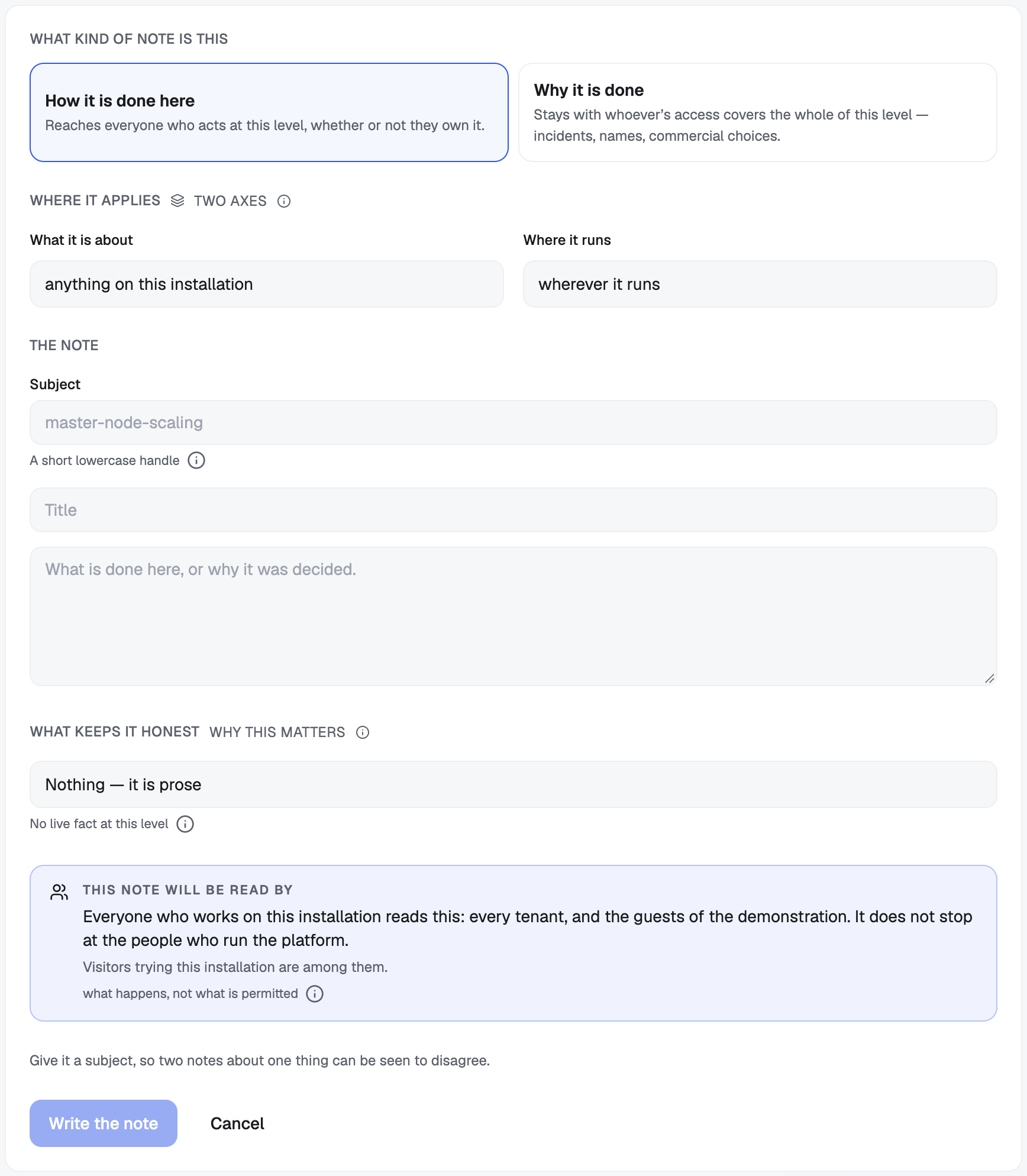
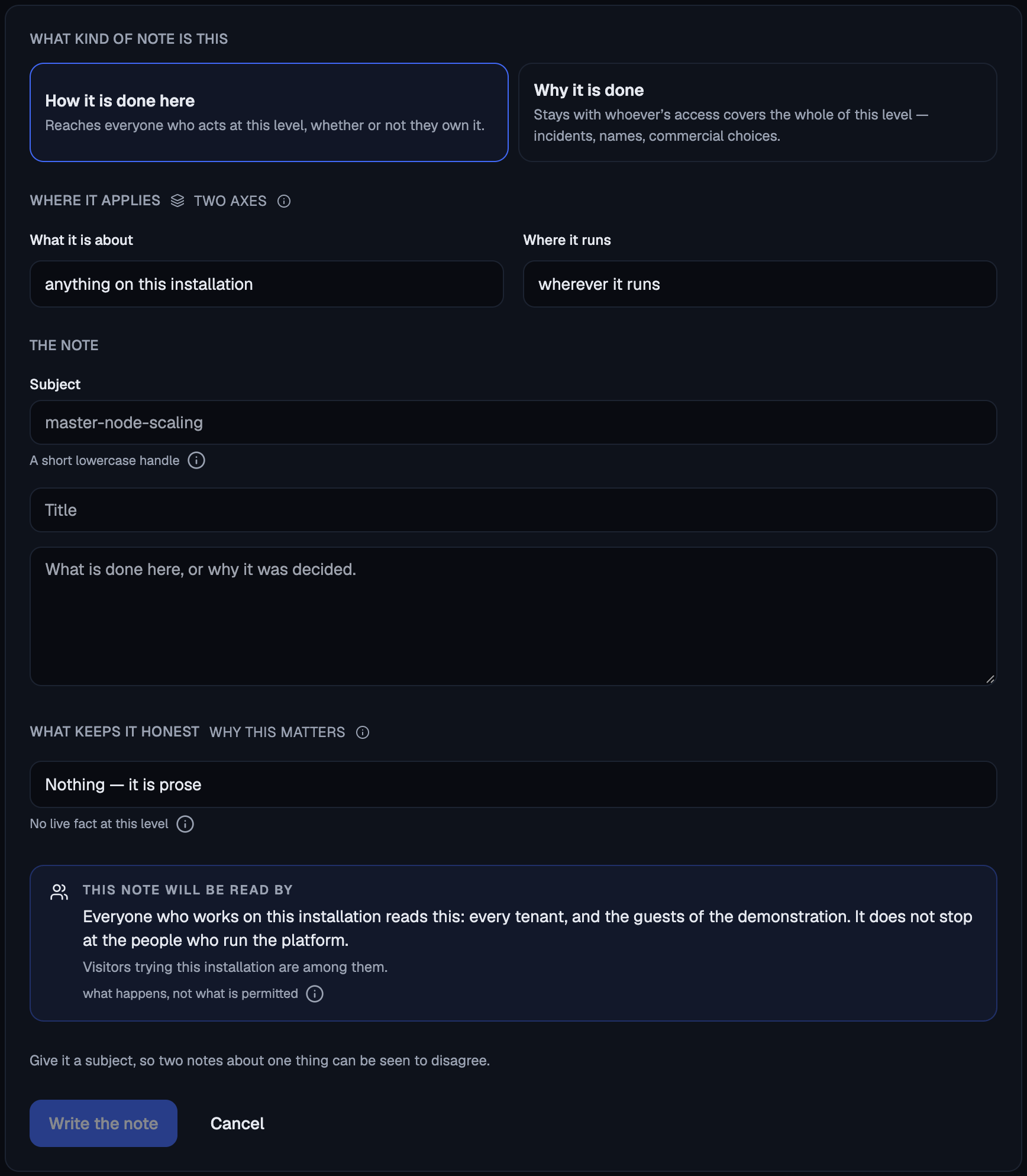
What kind of note is this: How it is done here or Why it is done, each with a line saying who ends up reading it.
Where it applies: two dropdowns, because they answer two independent questions. What it is about: anything on this installation, these applications, a project, applications of a kind, or applications carrying a tag. Where it runs: wherever it runs, on one cluster, or on one provider. An application belongs to a project and runs on a cluster, and it receives every note whose scope contains it along either axis. Neither axis is nested inside the other.
The widest option in both gives a note about the whole installation. The widest option in the first and a cluster in the second give a cluster note. Any other combination is a rule that picks out applications.
The note: the subject, a title and the body.
What keeps it honest: nothing (the note stays prose), a signature with a shelf life, or a live fact. The live fact option disappears on a note about the whole installation, and the form says why. Picking a live fact shows the published list, the parameters that fact needs, and the comparison.
Below the form, always visible and updated as you change the level, This note will be read by shows the sentence. When the audience is wider than the people who own the level, the panel changes colour, and when guests of the demonstration are among the readers it says so on its own line.
The dashboard is also the only place to maintain a note after it exists. Each note has Reword (the words change, the level never does) and Retire. A note kept true by a signature also has a Still true button, which puts your name to it again.
Writing one is a decision a person makes
An agent can read the operating context but cannot write it. There is no tool for that, because an agent that could write the rules it is later handed would be closing a loop on itself.
An agent can ask. All four writes (writing, rewording, confirming and retiring a note) go through the action cycle. When an agent calls one, the call does not run. A request goes to a person, and the agent finds out the result by trying again later.
When the request is to write a note, the sentence the person answers names the level. It shows the reach line itself rather than “write a note”, because a rule read on one cluster and a rule read by every tenant on the installation have different blast radii, and nobody should approve the second thinking they approved the first.
See When your agent stops to ask you for what that request looks like and where you answer it.
Retiring a note
Retiring does not delete. The note moves to the archive with the day it was withdrawn and, where you are told, whose decision that was.
A rule that was true once explains a decision made at the time. Before writing it again, ask whoever decided it had stopped being true.
Three things follow:
- A retired note is never advice. It cannot reach an agent by any path.
- Its premise is not checked again. The archive records what was believed on the day the note was withdrawn.
- Retiring changes nobody’s reach. The same people who could read the note can read it in the archive.
Read the archive with flui operating-context list --archived, or
open the Retired tab in the dashboard.
What does not belong in a note
Never a credential. Notes are read out to agents and to everyone who works at the level, which is the opposite of what a secret needs. Flui refuses a note that looks like it contains a key, a certificate, a token or a connection string with a password in it, and it names the shape it found without echoing the value back.
A credential belongs in the application’s configuration, delivered as a secret. See Set an application’s configuration and secrets.
Nothing longer than a rule. A note’s body is capped at four thousand characters. This is a safety limit, not a database one. Notes are read into an agent’s context beside the question it was asked, and a note long enough to crowd that out is a problem. Anything that needs more room belongs in a document.
Where to go next
- Give a teammate access: the grants that decide who can read a note and who can write one.
- Connect an agent: give a credential to the agent that will read all of this before it acts.
- Choose what your agent may do: the permissions that decide what an agent can do. Notes never change them.