
Let a cluster buy its own machines
On many platforms autoscaling is a single switch. Once it is on, the platform buys machines for you, and the bill is where you find out how many.
Flui has no such switch. A cluster grows on its own only when someone has written down, in one place a person can read, what it may buy, where it must stop and whether it may act at all. That record is a scaling group. On a provider Flui can buy from, every cluster starts with one, set to keep the machines it has and to buy nothing on its own until someone changes it. On other clusters there is no group until you write one, and until then nothing scales: no machine is bought, and no alarm is raised when one should have been.
This page covers writing a group and reading what it decided. The reasoning behind the design is in Scaling groups.
What a group says
A scaling group belongs to a cluster, and a cluster can have more than one, for example a general group and a second one for heavy jobs. Each group holds the same few settings.
Three bounds. Each plays a different role, and they only make sense together:
minis the floor. It is held now, and always.desiredis the target. The group moves toward it only when the market allows. Being below it buys nothing by itself.maxis the ceiling: as far as the cluster may grow right now when work cannot be placed.
min must not exceed desired, and desired must not exceed
max, or the write is refused. Every bound counts the whole
fleet, master included, and must be between 1 and 20.
Where it may buy, and what. regions is a list of regions.
shapes is a list of machine shapes in order of preference, so
the first entry is the one the group prefers. Where the provider
publishes no catalogue of machine sizes, those two fields are
refused and you set requirement instead: the CPU and memory a
machine has to hold. Where a catalogue exists, it is the other
way round.
Where Flui buys the machine itself, the machine must land in a region the cluster’s private network reaches. If that network spans several regions, a group may buy in any of them, and the new machine joins the same private network as the rest of the fleet. A region the network does not reach is refused, and the decision says so. Listing such a region is still useful on a provider Flui cannot buy from, because there the outcome is an alarm, and an alarm that names a shape and a region tells you more than one that cannot.
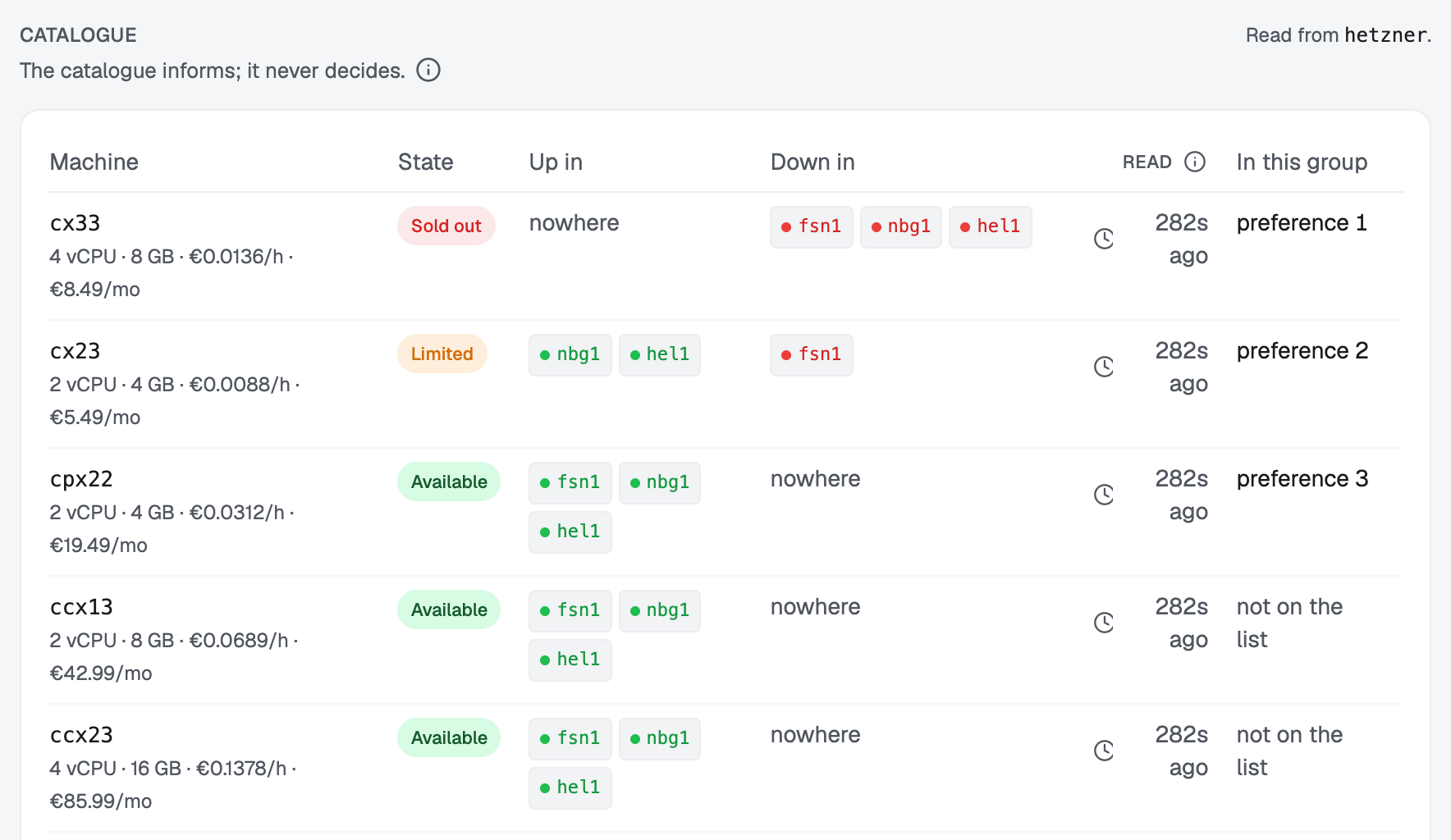
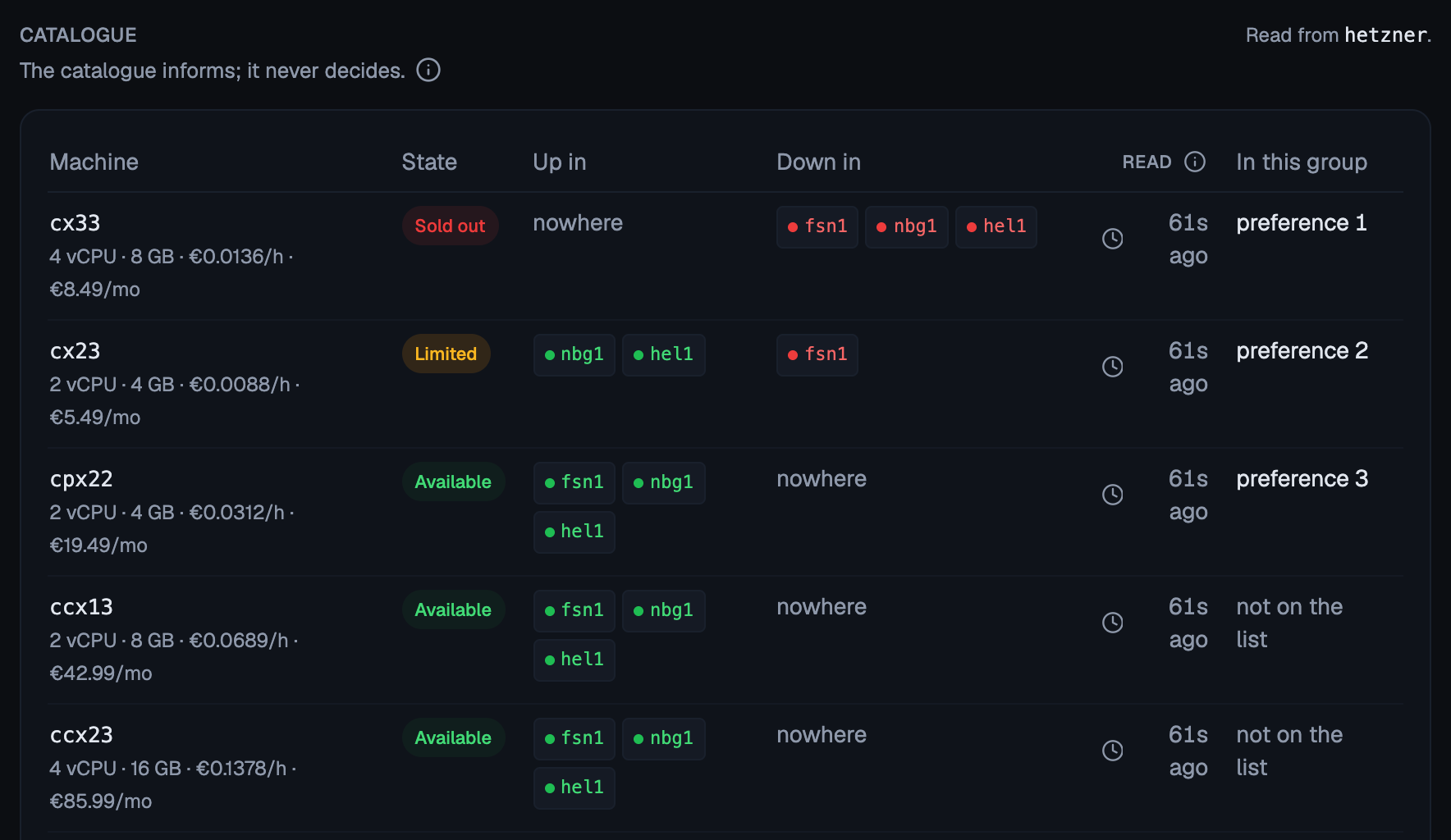
Where the provider reports it (see which do), Flui reads from the provider whether a shape can be bought right now, and reads it again every few minutes. A shape the provider reports as sold out can come back at any moment, and the next decision will see it.
A placement strategy, one of four:
strategy | Picks |
|---|---|
cheapest | the lowest hourly price, in any region this group may buy in |
closest | the cluster’s own region first, then the others in the order listed |
roomiest | the largest that stays within the limits, so the next piece of work fits too |
uniform | the same shape as the machines already running (the default) |
All four choose only among the shapes that already fit the
waiting work. Otherwise cheapest could buy a machine that
helps nobody, and the work would still be waiting after the
money was spent.
A spending ceiling in money. limits.maxMonthlyCost is an
amount of money per month. The number of machines does not tell
you the bill, so the ceiling is set in money. Leaving it out
means no ceiling at all, which is different from a ceiling of
zero, and only a group that does not buy on its own may leave it
out. limits.hourlyBillingOnly refuses shapes billed by the
month, which make growing and shrinking cost-neutral at best.
A settle window. settleSeconds (default 30, at most 3600)
is how long work must have been stuck before this group buys
anything. It makes sure the work is really stuck and not halfway
through being placed. The group never uses it to wait for a
cheaper machine.
Consent. provision is manual or automatic. This one
field decides whether the group may act:
manual(the default): the group decides, records what it decided, and tells you. Nothing reaches a provider.automatic: the group may act.
automatic is refused on a provider Flui has no way to create
servers on, on a cluster with no private network for a new
machine to join, and without a monthly ceiling above zero. There
is no installation-wide spending grant. Each group carries its
own ceilings, in money and in machines, where you can read them.
Write the group
You write a group as a file. Start from this one:
kind: ScalingGroupname: generalcluster: prod-eubounds: min: 1 desired: 2 max: 4regions: - fsn1 - nbg1 - hel1shapes: - cx33 - cpx32strategy: cheapestsettleSeconds: 30limits: hourlyBillingOnly: true maxMonthlyCost: 40provision: manualstandingOrders: []requirement: nullThen apply it:
flui scaling apply -f scaling.yamlflui scaling apply -f scaling.yaml --dry-run--dry-run reads the file, checks it, says whether it would
create or update, and writes nothing.
A group is matched by name on the cluster: the same name updates
the existing group, a new name creates one. If the file names no
cluster, pass --cluster. If the file and --cluster name
different clusters, the command is refused.
Then read it back:
flui scaling get # the cluster's only groupflui scaling get general --cluster prod-euflui scaling set changes single fields and keeps the rest, and
flui scaling floor moves the minimum.
flui scaling set default --max 4 --desired 2flui scaling set default --provision automatic --max-monthly 40flui scaling set default --shapes cx33,cx23 --regions fsn1,nbg1 --dry-runflui scaling set default --max-monthly none # a manual group only| Flag | Effect |
|---|---|
--min, --desired, --max | Floor, target and ceiling in nodes, master included (1 to 20). |
--max-monthly <euros> | The spending ceiling. none removes it, on a manual group only. |
--provision automatic|manual | Whether Flui buys on its own or proposes and waits for a person. |
--shapes <list> | The machines it may buy, comma separated, in order of preference. |
--regions <list> | The regions it may buy in, comma separated. |
--strategy <name> | cheapest, closest, roomiest or uniform. |
--settle <seconds> | How long an app waits for room before the group acts. |
--[no-]hourly-only | Buy only machines billed by the hour. |
--dry-run | Show each setting before and after, with what the limits would cost, and write nothing. |
-c, --cluster | The cluster, when it is not the only one. |
flui scaling delete removes a group. It cannot remove the only
group of a cluster Flui can buy for, because that cluster’s
machines change through it.
Open Scaling in the sidebar, choose Manage on the cluster’s row, and go to the Group tab. Every field of the group is there: the three bounds, the regions, the machines in order of preference, the strategy, the settle window, the monthly ceiling, and the mode (manual or automatic).
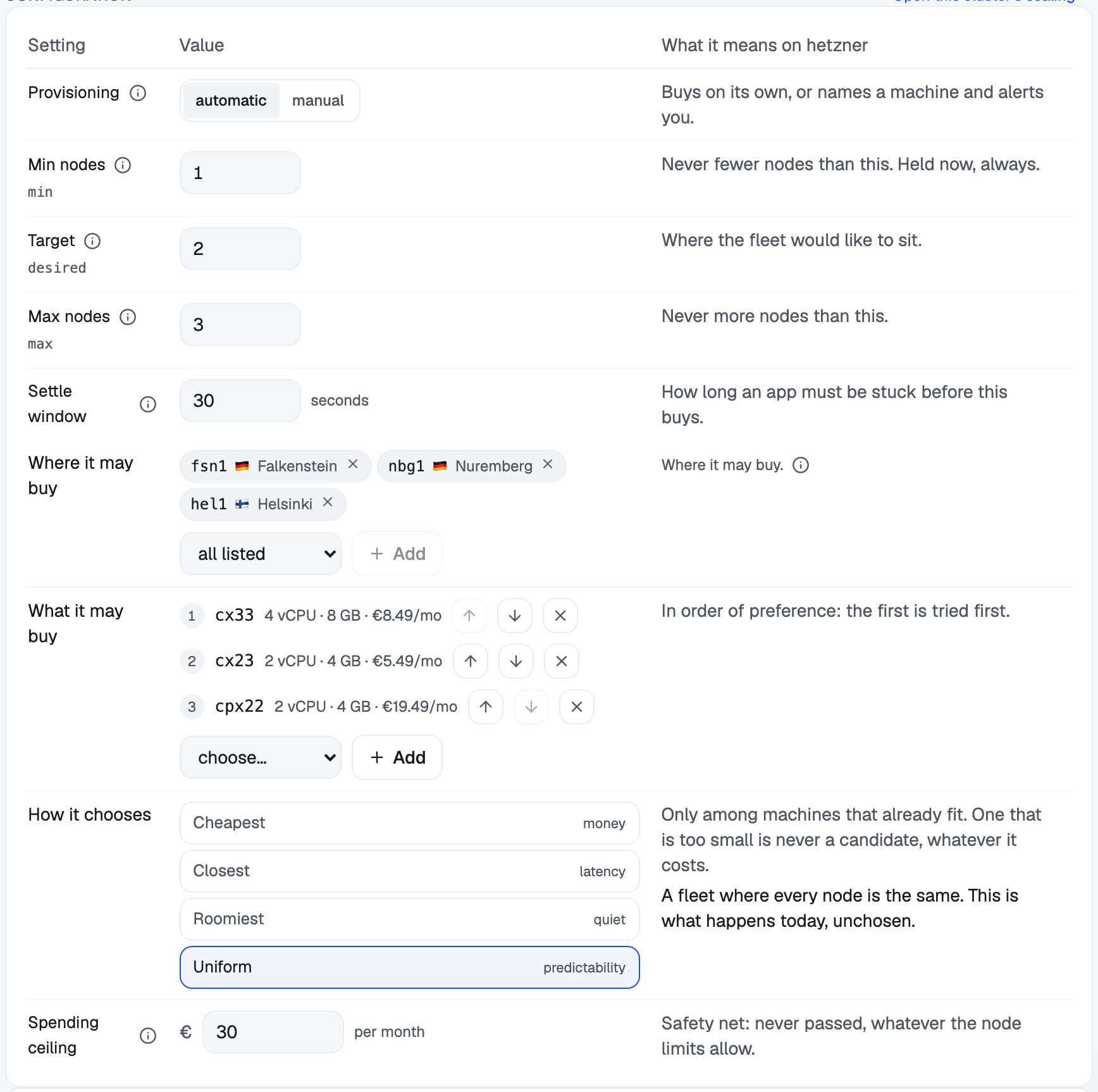
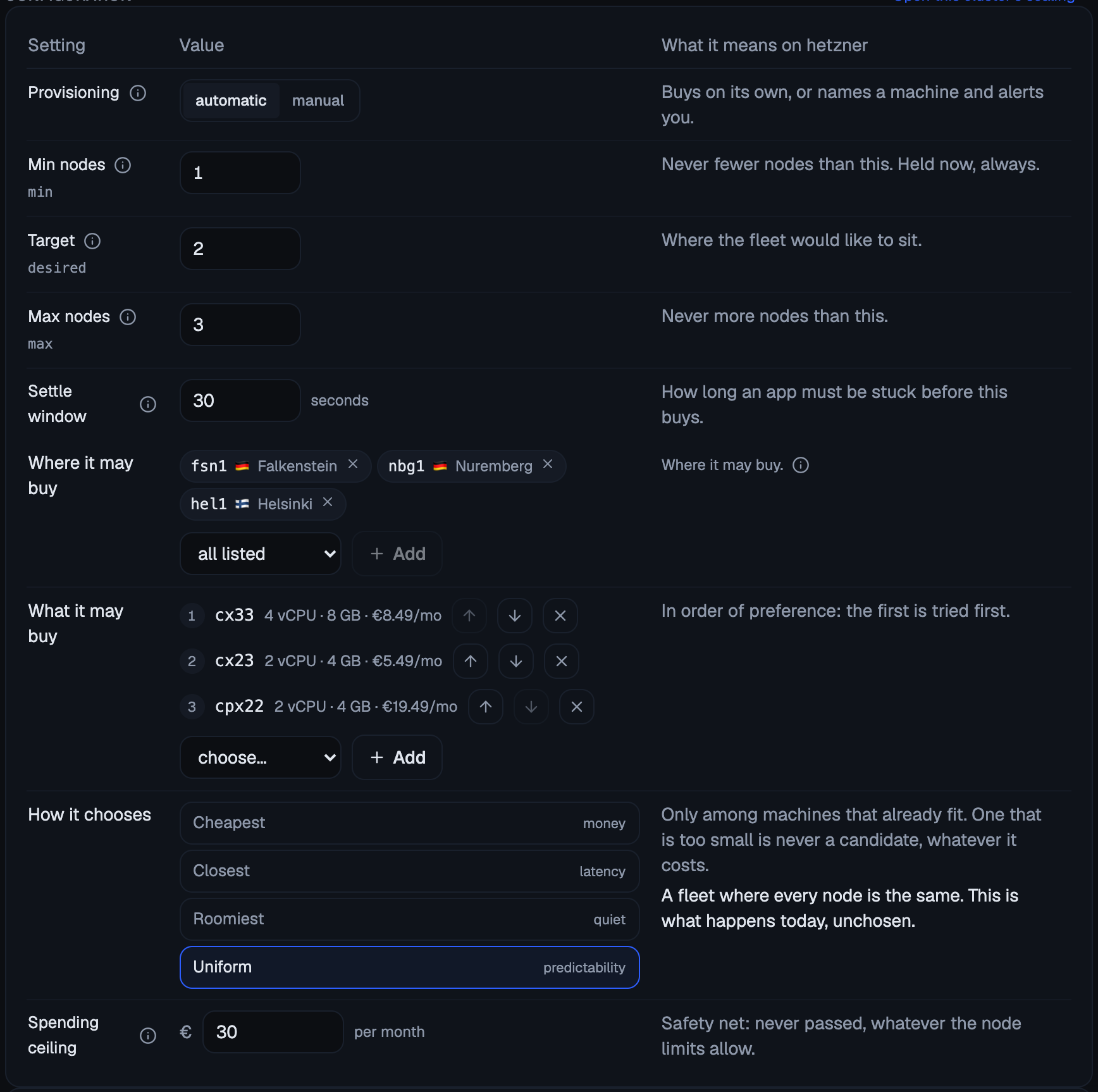
Next to Save, the page states in one sentence what the group will do once saved: how far it may grow and how much it may spend without asking you. Saving gives your consent to that sentence, so read it first. A group set to buy on its own without a monthly ceiling is refused until you set one.


The machine list only offers shapes the provider sells, and marks the shapes already on the list.
scaling_group_set writes a group or changes one. Pass
groupId to change an existing group, or clusterId plus
name and bounds to write a new one.
The call stops and asks a person. The route is inside Flui’s action cycle, so the agent’s call does not run. It comes back as a request that states what the agent’s bounds and limits allow, for example “up to 5 nodes, never past a spending ceiling of €40 a month, without asking you”, and a person answers it. The agent learns the answer by retrying the identical call; nothing tells it directly.
Two things catch agents out:
boundsis replaced whole, and so islimits. SendinglimitswithoutmaxMonthlyCostremoves the monthly ceiling. Restate the cap every time.provision: "automatic"is refused wherever the provider has no way to create servers, and withoutlimits.maxMonthlyCostabove zero. Readscaling_group_getfirst; retrying will not help.
No agent tool removes a scaling group.
Read what it decided, including the decisions to do nothing
A group decides in a loop and records every decision. The decisions to do nothing are the ones people most often come looking for, so they are recorded in the same form as a purchase, and nothing filters them out.
A decision ends in one of five outcomes: a machine was added, one was bought and another drained, one was drained and removed, the group chose to do nothing, or nothing could be bought and a person is asked instead.
Under each decision is the ladder: every candidate the group looked at, with the reason for each.
| Reason | What it means |
|---|---|
would-buy | this is the one it would buy |
unavailable | nothing to buy there right now |
does-not-fit | too small for the work that is waiting |
over-budget | the monthly ceiling would be passed |
refused-by-limit | available and affordable, and this group’s own rules exclude it |
alert | nothing can be bought here, so a person is asked instead |
refused-by-limit is the reason to learn. The provider was not
out of stock and the ceiling was not reached: the machine was
available and affordable, and this group’s own rules excluded
it. It was in a region you did not list, it was a shape you did
not name, or it was billed by the month when you refused monthly
billing. Without its own reason, this case would look exactly
like an outage.
A second set of reasons covers a group that decided to buy and still did not: the group is set to decide and not act, a machine is already on its way to this cluster, the cluster is not in a state to attach one, the winning shape has no published price and you set a ceiling, the winning shape is in a region the cluster’s network does not reach, the group buys on its own with no spending ceiling, a machine has just joined, or the last purchase failed. Each needs a different fix, and the decision names the one that applied.
A failed purchase waits for you, unless the provider simply had
none of that machine left. In that case nothing was created, and
the group checks availability again on its own ten minutes
later. Any other failure stops the group from buying until a
person has read why and says to try again: from the page, with
flui scaling retry, or with the scaling_group_retry_purchase
tool. Buying again without that check would usually fail the
same way, or pay twice.
When nothing at all can be bought, the alarm lists every machine with its own reason (sold out and where, too small for the waiting work, or over the monthly ceiling) and what a person can do about it: widen the shapes or regions, raise the ceiling, or attach a machine by hand.
How a fleet grows and shrinks back
Growing is fast. Once work has waited longer than the settle window, the group buys the machine the ladder chose and the work waits for it to join. While that machine is on its way, nothing else is bought for the same work.
Shrinking is slow. A fleet above its target gives a machine back only when both of these are true:
- No machine has joined the cluster in the last ten minutes. The load that called for it rarely leaves that fast, and giving a machine back only to buy it again means paying twice.
- Everything running on it fits on the machines that stay. If it does not, the machine is kept, and the decision says what would have had nowhere to run.
The machine is emptied first, and only then removed from the provider.
Standing orders
A group can also carry standing orders: machines you want, bought when the market allows instead of when work is waiting.
expand: buy this shape in this region, this many times. The order closes itself once the fleet reaches the target it was written for.replace: buy this shape, then empty and remove a named machine. This moves the fleet to a better shape without a gap.
An order never runs while any work is waiting; waiting work
always comes first. On the dashboard, Now lists the open
orders and what holds each one back, and Add a machine
writes an expand order.
flui scaling list # one line per clusterflui scaling list --cluster prod-eu # that cluster's groupsflui scaling why # the latest decision on the clusterflui scaling why --limit 10flui scaling why --outcome added,removed,alertedflui scaling why --since 2026-09-25T08:00 --until 2026-09-26T08:00flui scaling preview # what it would do right nowflui scaling retry # buy again after a failed purchaseflui scaling list shows every cluster, including those with no
group and those that can only raise an alarm. Those are the two
cases that need a person, so the list never filters them out.
flui scaling why asks about the whole cluster and names the
group each decision came from. On a cluster with two groups,
asking one group why nothing happened can give you an answer
about the wrong fleet.
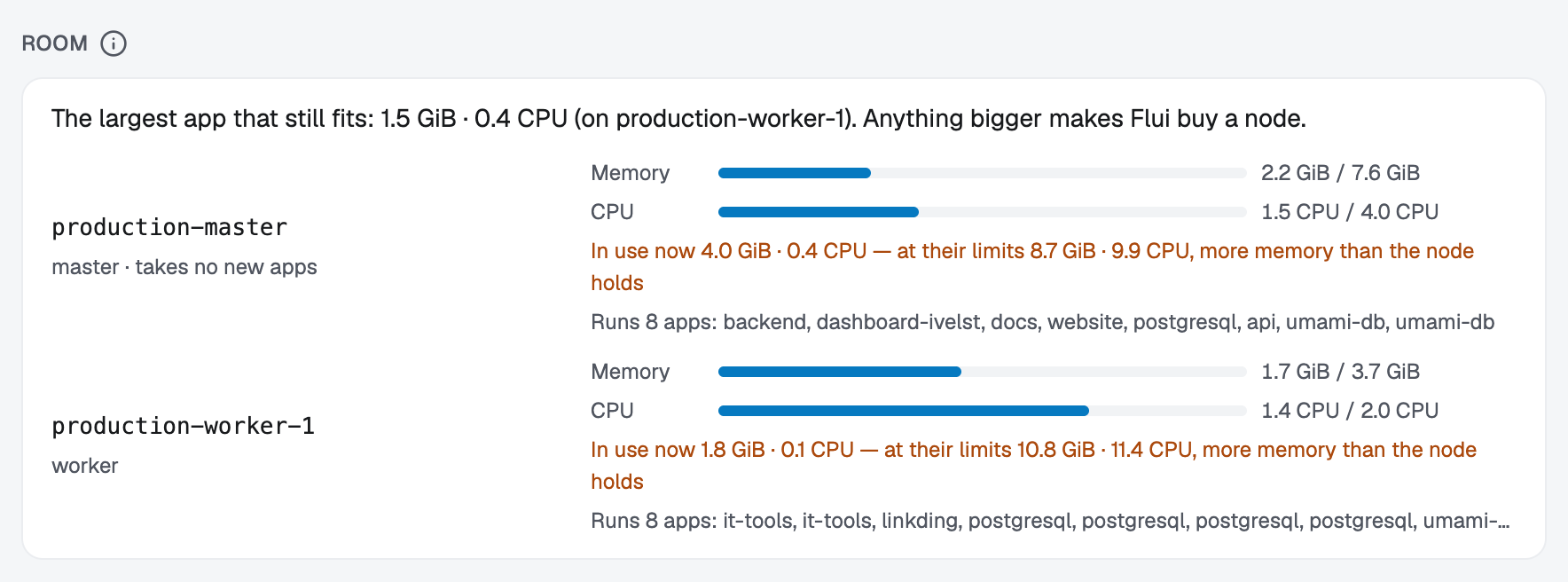
flui scaling preview asks the same engine what it would do if
a machine were needed right now, and spends nothing. It shows
every rung of the ladder with its reason, and the room left on
each machine: memory and CPU reserved against what the machine
can give, and the largest app that still fits. Anything bigger
than that makes the group buy.
Room is counted from what apps reserve rather than what they use at the moment, because reservations decide where work can be placed.
list, why and preview take --output json; get also
takes --output yaml.
The Scaling section in the sidebar lists every cluster in the installation, whether or not it can scale itself.
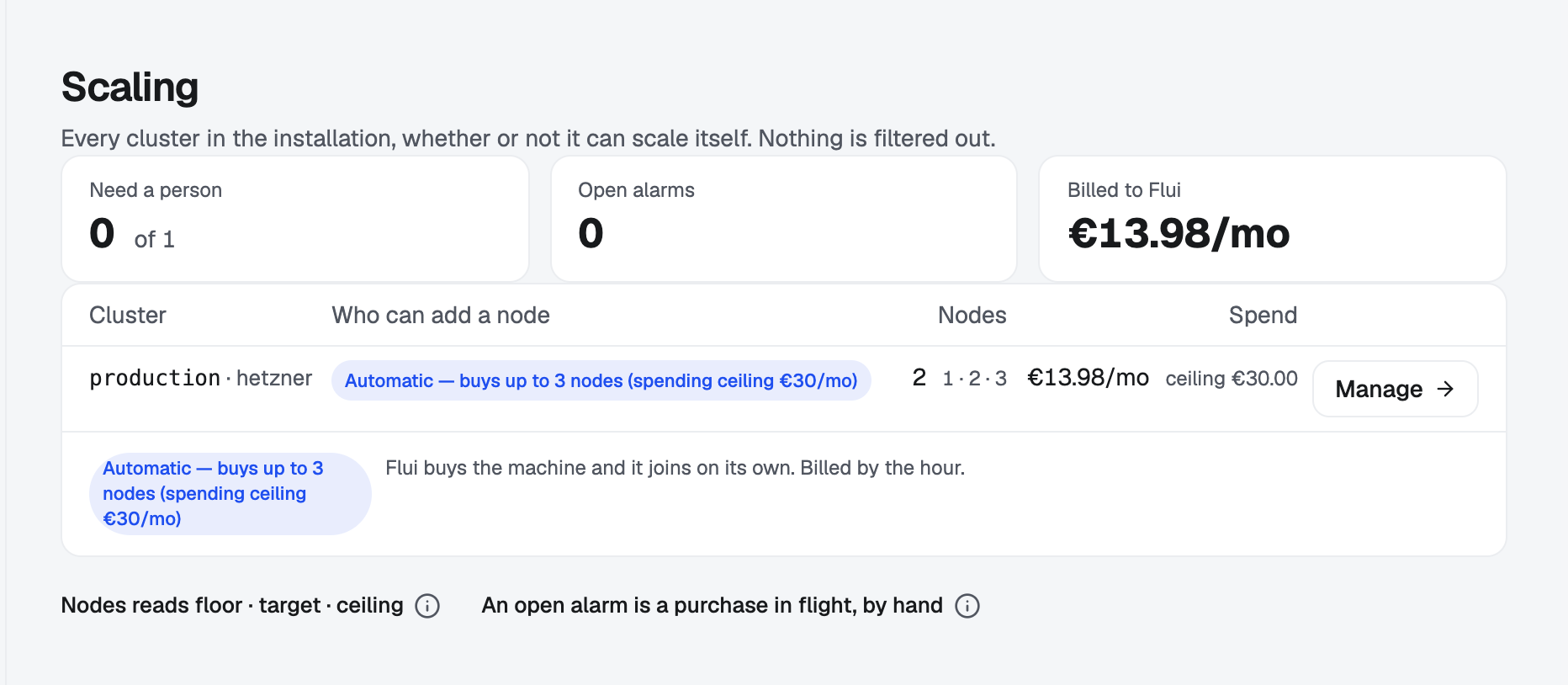
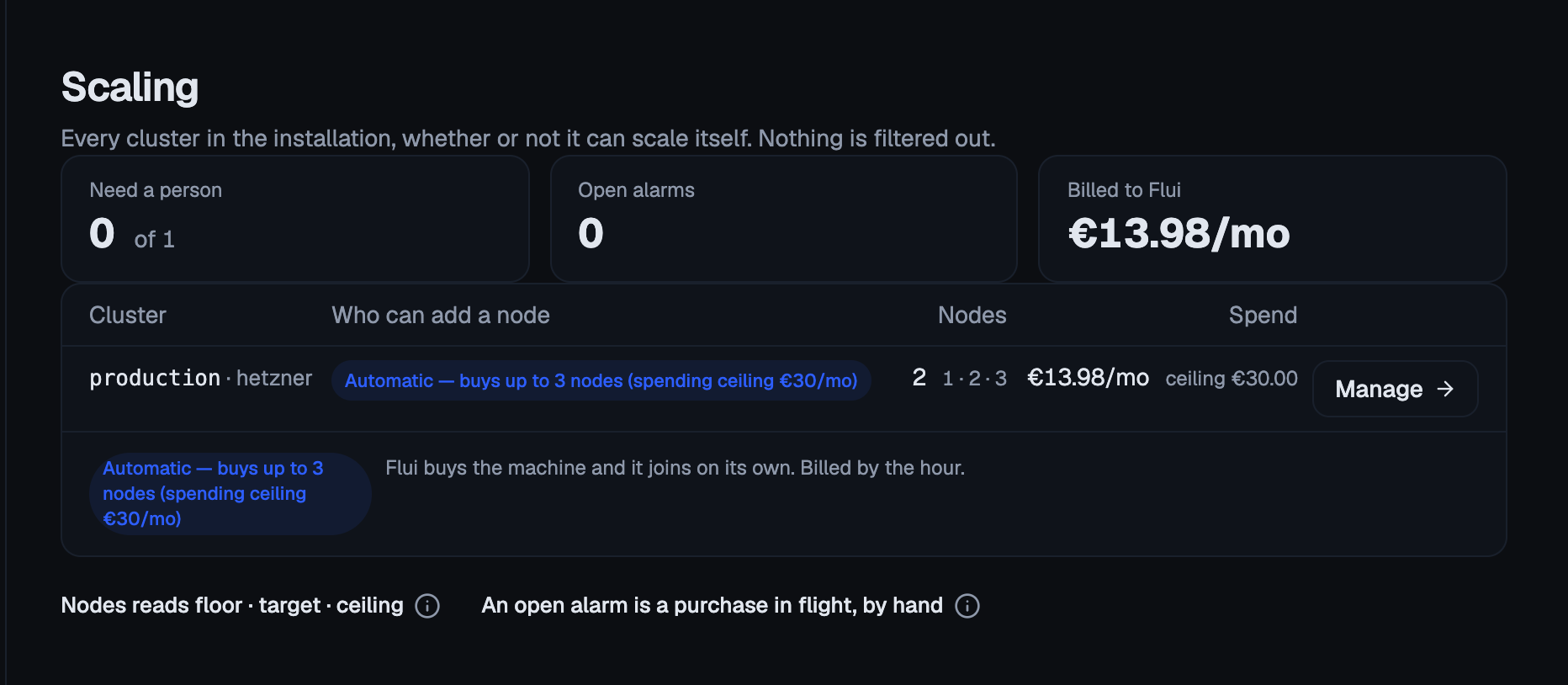
A group has four tabs:
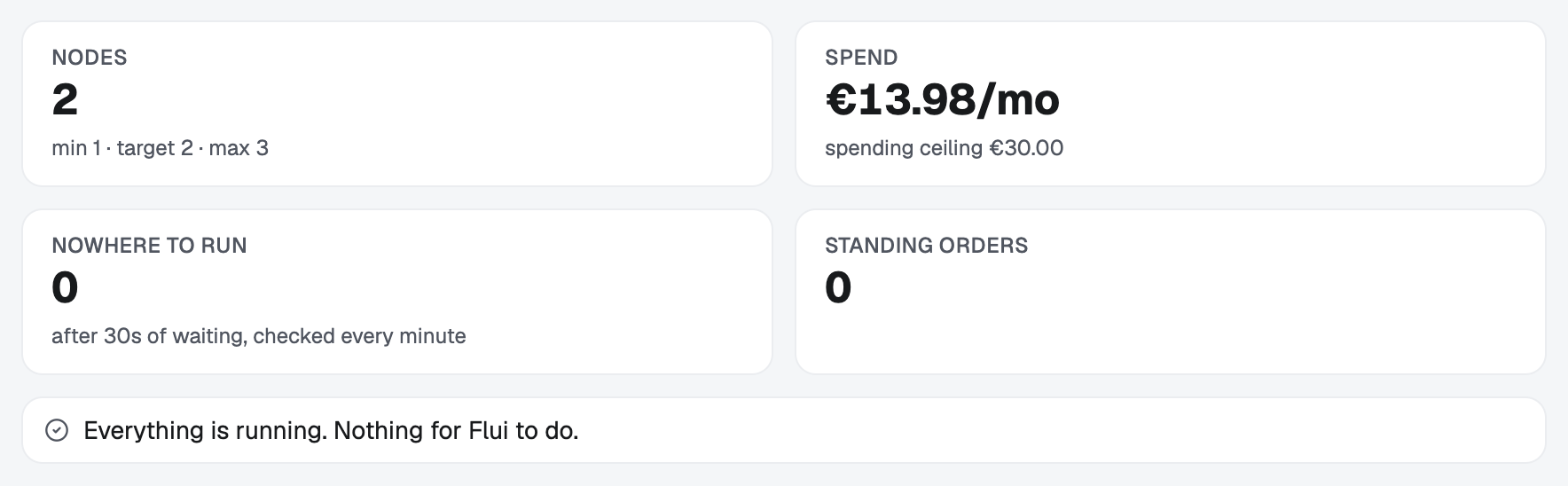
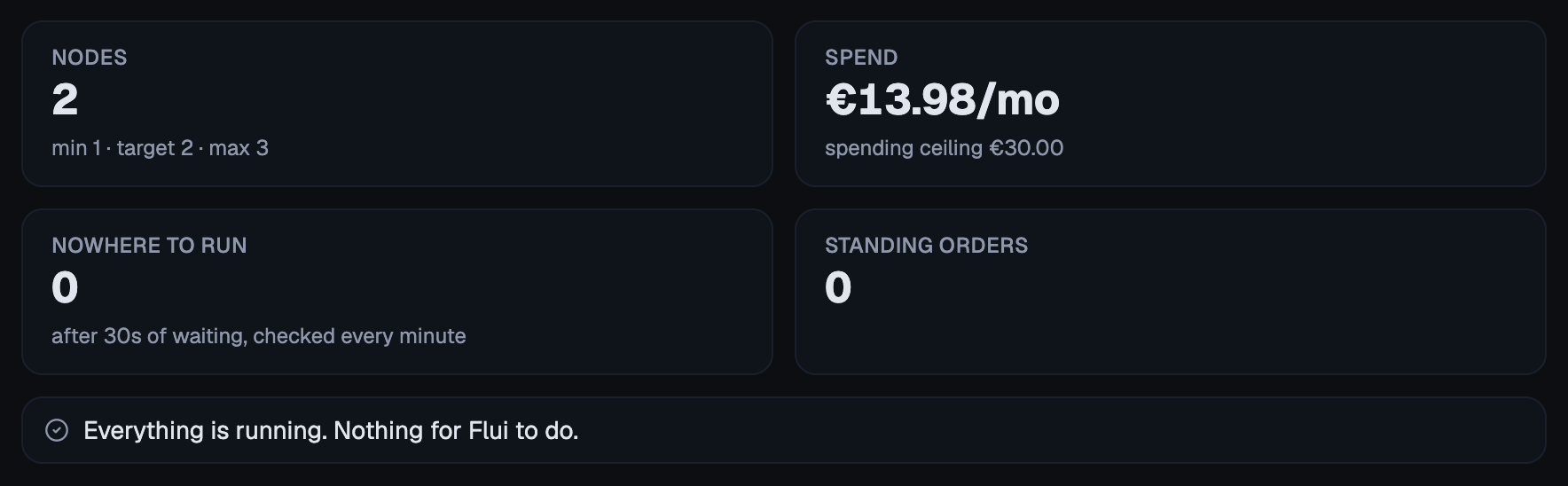
- Now shows what the group would do at this moment: the nodes, the spend against the ceiling, the work with nowhere to run, any open alarm, the room left on each machine and the largest app that still fits, the ladder it would walk, and the standing orders.
- Group holds the configuration, which you can edit and save here.
- Market shows which machines can be bought, and where. Where the provider reports availability, the tab reads it from the provider, the same reading the group buys from, and says which provider it read. The tab appears only where the provider publishes a catalogue.
- History shows the fleet over time, one band per machine shape, with what the fleet cost on the same samples and the decision log underneath.
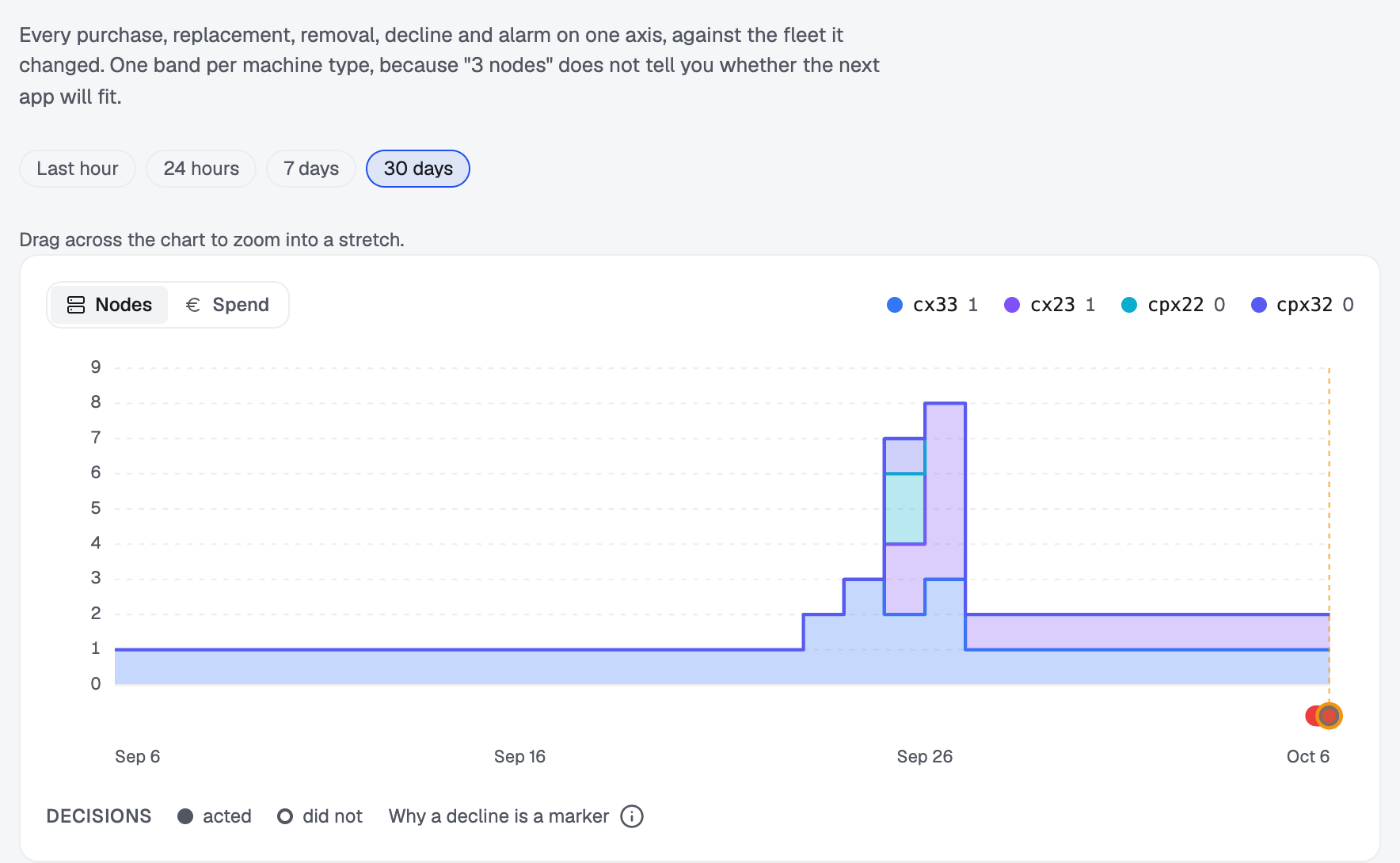
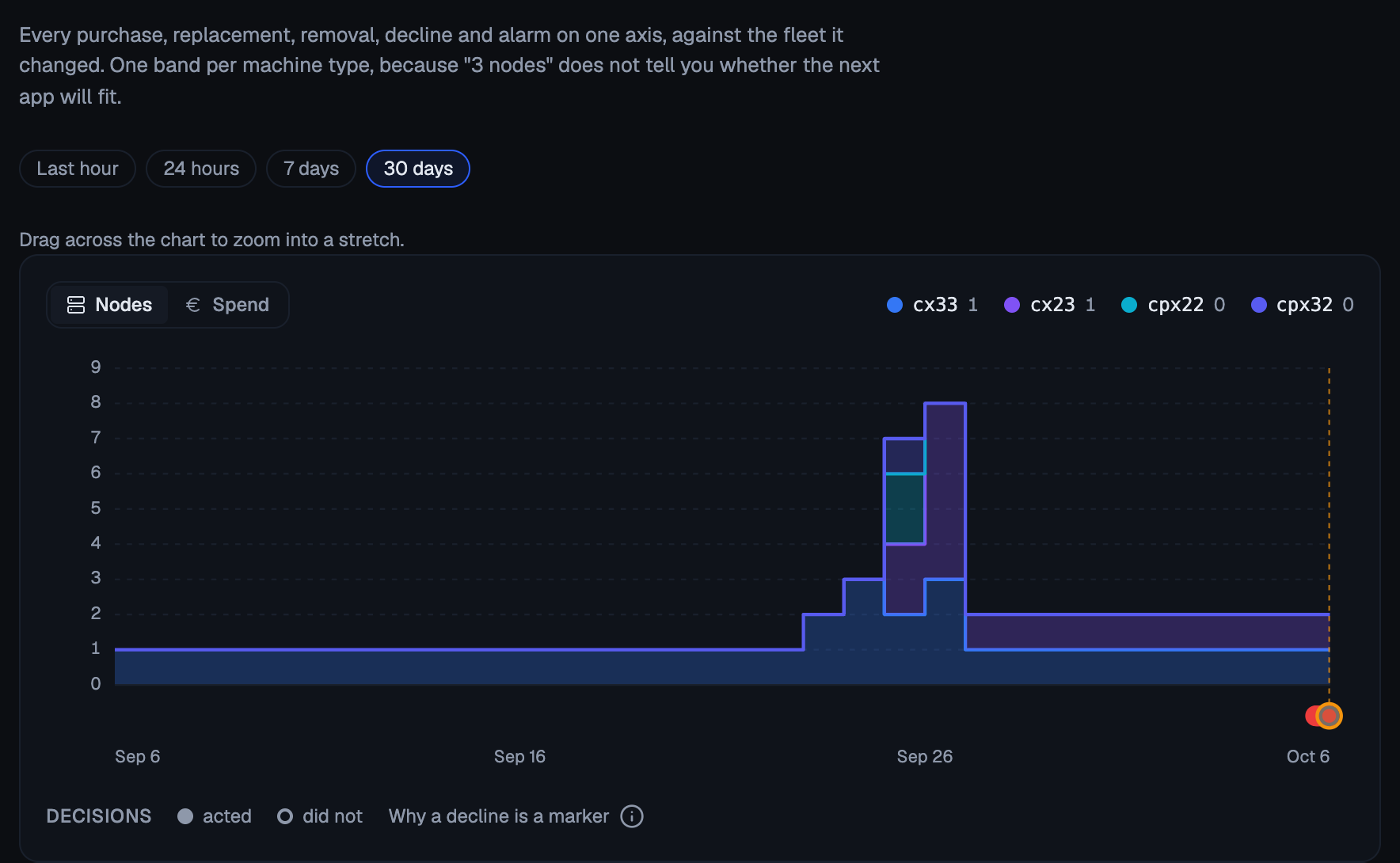
History shows one band per shape because a total only says “three machines”, and you need to know which three to tell whether the next piece of work fits.
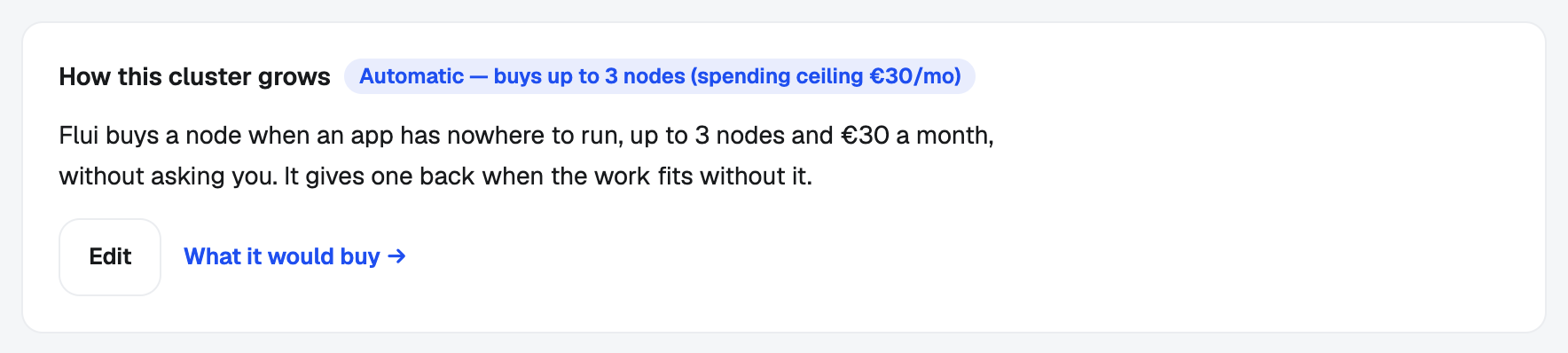
A cluster’s own page also has a Scaling tab. There you add
and remove machines (one more or one fewer moves the group’s
floor), see how full the cluster is and how many apps are
waiting, and read the latest decisions. The tab also states in
one sentence how the cluster grows. You cannot edit that
sentence: it is derived from the groups, so it changes as soon
as one of them is set to automatic.
Five read tools, all under the “See the infrastructure” permission group:
scaling_overview: one row per cluster, including the clusters with no group and the clusters that can only raise an alarm.needsPersonsays which.scaling_group_get: one group, or every group on a cluster: the bounds, what it may buy, what it may spend, and what the provider actually allows.scaling_why: what was decided and what was declined, newest first. Ask it about the cluster.scaling_preview: what the group would do if a machine were needed right now, with the ladder and the room left on each machine. It spends nothing.scaling_cost: what node limits would cost before anything is written, from always at the minimum to the maximum all month, and where a ceiling would stop the fleet.
scaling_group_retry_purchase lets a group buy again after a
failed purchase, scaling_group_floor moves the floor, and
scaling_approve_purchase carries out what a manual group
proposes. They change what the group does, so they need
“Operate the infrastructure”. Giving a machine back with
scaling_approve_removal needs “Remove infrastructure”.
Two values need care. pendingPods: null does not mean zero. It
means the cluster could not be asked what was waiting; read as
zero, a cluster in the middle of an outage would look like the
quietest row on the list. monthlyEur: null means Flui has no
bill to show, not that the fleet is free. Where unpricedNodes
is above zero, the figure is only a lower bound on the bill.
An empty decision list means the group has not decided anything yet, rather than that it looked and found nothing to do.
A group is a file
You can export a group to a file, keep it in a repository next to everything else, and apply it again:
flui scaling export > scaling.yamlflui scaling export --all --cluster prod-eu > scaling.yamlflui scaling apply -f scaling.yaml- The file is the whole group. A field left out is reset to its default, not left alone. A reviewer reads the file the same way, and it is why applying the same file twice leaves the same group.
- Several groups can share one file, separated by
---. - Only what a person wrote is exported. What the provider can do and what the market is doing are read fresh every time, because they would be out of date the day after the file was committed.
What the provider can do
Flui cannot buy machines from every provider. It works out what it can do from what the provider declares, never from its name, and the result is one of three cases:
- Flui can add machines here. The group can be set to
automatic. - Flui cannot add machines, but there is a catalogue. Scaling ends in an alarm for a person, naming the shape it would have bought and what it costs.
- Flui cannot add machines and there is no catalogue, as on your own servers. Scaling ends in an alarm that describes what a machine has to hold, since there is no shape name to give.
Write a group in all three cases. In the second and third, the group’s decision is the alarm, and it is the only thing that tells you the cluster has run out of room.
Where this goes from here
- Scaling groups: the two forces
on a fleet, why the ceiling is money and not a machine count,
and why
refused-by-limitis a reason of its own. - Add a cluster and give it capacity: creating a cluster and changing its machines.
- Nodes and cluster topology: what a machine is to a cluster.
- CLI: Clusters, nodes, and SSH: the command reference for the fleet itself.