
Put an application on the internet
Running an application and letting people reach it are separate jobs. The deploy does the first. The second needs a name that resolves, a working certificate and a decision about who is allowed in.
This page covers both: first make the application reachable, then decide who may reach it.
Where the address comes from
A cluster publishes its applications under a domain you own.
You register the domain with Flui once as a zone and assign
that zone to a cluster. From then on every application on the
cluster answers at <app>.<cluster>.<zone>.
A cluster with no zone assigned falls back to nip.io
hostnames built from its own IP address. They need no setup,
which is why a first cluster is reachable as soon as it comes
up, but the address contains the cluster’s IP and is not one to
give real users. The trade-off is explained in
DNS as part of the deploy contract.
You register the zone in the dashboard, under Domains → Registered Zones. The rest of this page assumes the zone is already registered.
# what is registeredflui dns zone list
# publish this cluster's applications under itflui dns zone assign example.com --cluster production
# follow the workflui dns zone status --cluster production
assign takes a zone name or a zone id. It also takes
--acme-email, --certificate-provider (lets_encrypt or
lets_encrypt_staging) and --wildcard-certificate, which is
on by default. Pass --no-wildcard-certificate to issue one
certificate per application instead of one for all of them.
The work on the cluster runs in the background, so assign
returns before it is finished. flui dns zone status shows how
far it got. If it drifts, or after a cluster is rebuilt,
flui dns zone reconcile applies it again; add --wait to
stay until it settles.
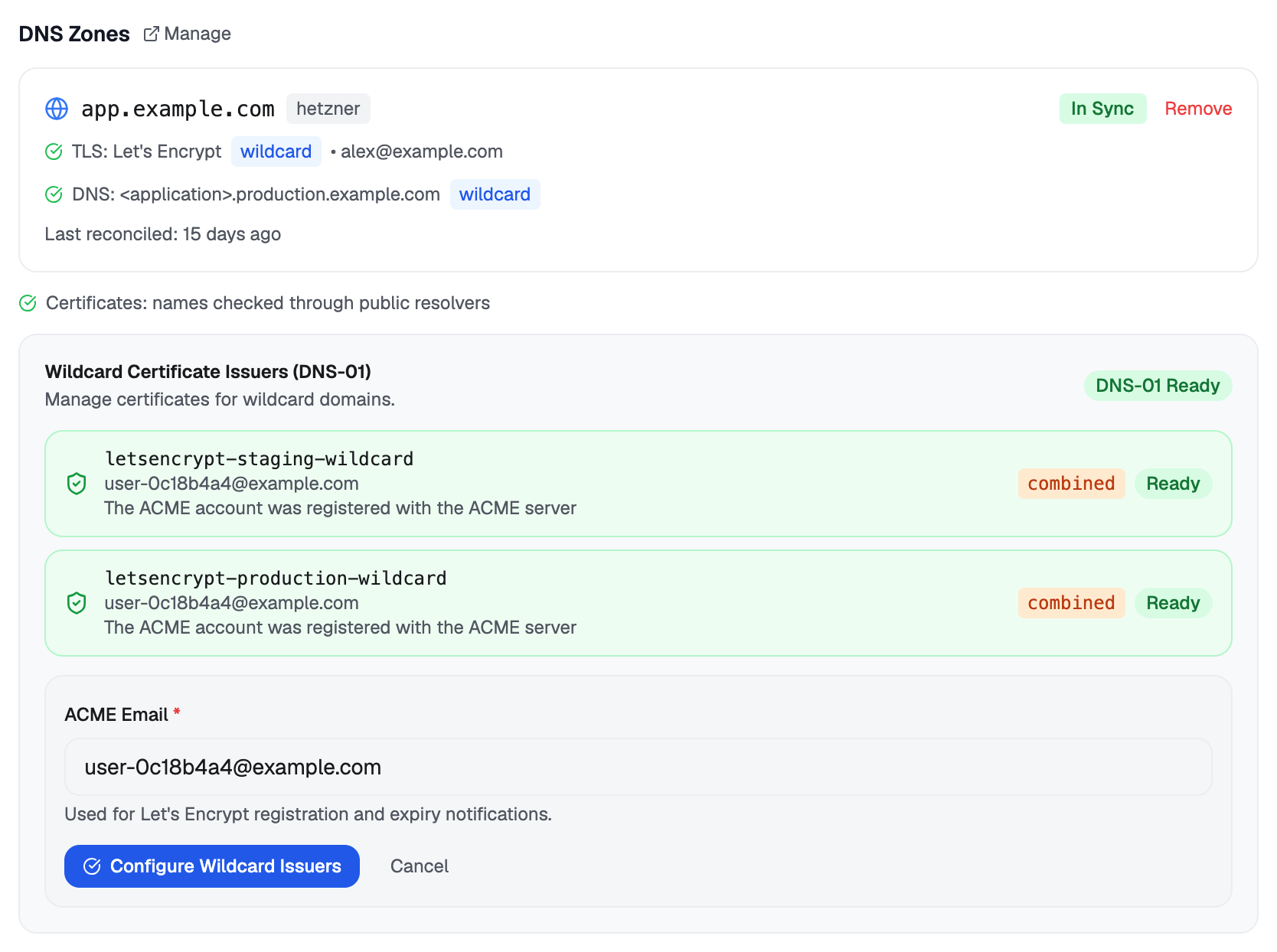
Open the cluster and go to its DNS tab. Pick a registered zone, choose one wildcard certificate or one per application, and assign it.
The same tab then shows the reconciliation state, so you can watch it complete.
No tool assigns a zone to a cluster. Binding a domain to a cluster is a one-time decision for a person. An agent can only read the result and publish the record described below.
One record for every application
A new hostname takes about a minute to reach resolvers around the world, and you notice that minute right after a deploy, when you open the link to the new application.
Every application on a cluster is published at
<app>.<cluster>.<zone>, and all of them resolve to the same
address. So a single wildcard record covers all of them,
including applications that do not exist yet. Publish it once
and a newly deployed application answers straight away,
instead of waiting for its own name to propagate.
Publishing never overwrites anything. If a wildcard already
exists and points somewhere else, Flui leaves it as it is and
reports it as foreign. Applications on that zone keep getting
their own per-application records, which still work but take
longer to appear.
A cluster can carry more than one zone, and each gets its own record. The CLI publishes all of them in one run; an agent publishes one zone per call.
flui dns wildcard status --cluster productionflui dns wildcard publish --cluster productionstatus reports, per zone, one of these: the wildcard covers
the cluster; there is none and each application waits to
propagate; one exists but points somewhere else; the DNS
provider could not be read just now; or the cluster has no
address yet. It also says whether the certificate is one
wildcard or one per application.
The cluster’s DNS tab shows the wildcard state next to each assigned zone, with a Publish wildcard button when there is none.
dns_wildcard_status: use it when a freshly deployed application’s URL does not resolve yet. It tells a name that has not propagated yet apart from something that is broken.dns_wildcard_publish: publishes the record, one zone per call. On a cluster with several zones assigned, the call says so and asks which one.
Publishing stops and asks a person first. The sentence they answer names the zone and the cluster, because one record that answers for every name under a cluster affects every application on it.
The URL appears when it works
Flui publishes an application’s URL only once its endpoint serves traffic: the record and the routing are applied, and no certificate is still pending. Until then you see the state instead of a link: reconciling, a certificate still being issued, or an error naming what to fix.
A link that exists but does not answer sends people to a browser error and makes a working deploy look broken, which is worse than no link.
A second DNS provider
DNS is a single point of failure you do not control. You can replicate a zone onto a second provider, so the names keep resolving when the first one has an outage.
Register the replica, copy the records into it, check for drift, and only then delegate nameservers at your registrar. Pausing a replica leaves its records at the provider, and so does removing it: Flui stops managing the replica but does not delete it.
flui dns replica add --zone <zone-id> --provider scalewayflui dns replica populate --zone <zone-id> --replica <replica-id>flui dns replica verify --zone <zone-id> --replica <replica-id>flui dns replica list --zone <zone-id>flui dns replica disable --zone <zone-id> --replica <replica-id>flui dns replica enable --zone <zone-id> --replica <replica-id>flui dns replica remove --zone <zone-id> --replica <replica-id>--provider names the second provider (hetzner or
scaleway); --provider-zone-id adopts a zone that
already exists there.
verify is a dry run: it reports drift and changes nothing.
disable and enable pause and resume copying records to the
replica; remove unregisters the replica from Flui.
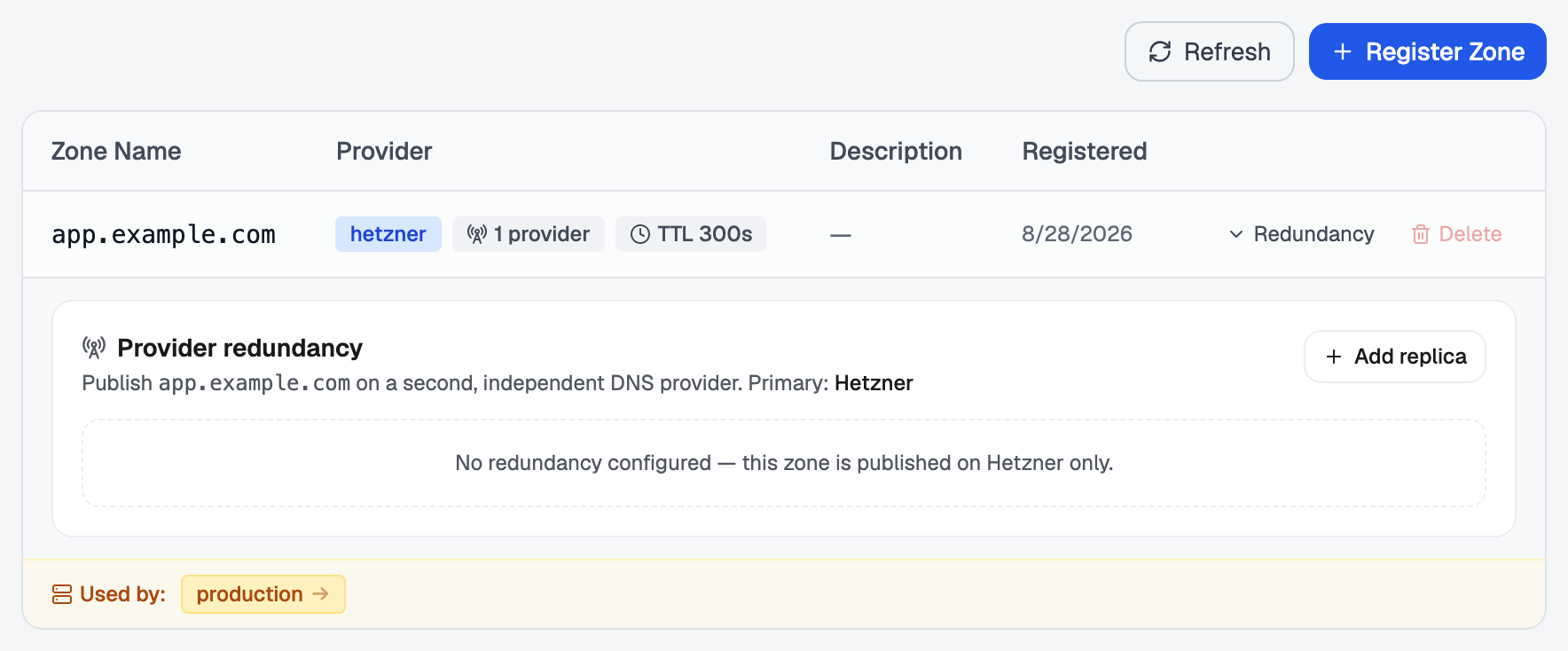
Go to Domains → Registered Zones. Redundancy on a zone shows its replicas, with Add replica and the same Populate, Verify and Enable/Disable steps.
Routes
A route is a hostname, optionally with a path prefix, that points at an application.
Routes are the application’s endpoints. The one created when you deployed a public application is already a route, and it appears in the list next to any you add. Add another when you want a second name: a custom domain, an API on its own host, or one path split off for one service.
If the hostname is under a zone assigned to the cluster, Flui creates its record. If not, the route still works, but you point the DNS at the cluster yourself.
flui gateway routes add my-app api.example.comflui gateway routes add my-app api.example.com --path /v1
# this application's routesflui gateway routes list my-app
# every route on the clusterflui gateway routes list
flui gateway routes remove my-app api.example.com
A route is named by its host or by its route id. --path
defaults to /. --no-tls skips certificate issuance for
that route. Removing a route also removes its DNS record and
its certificate.
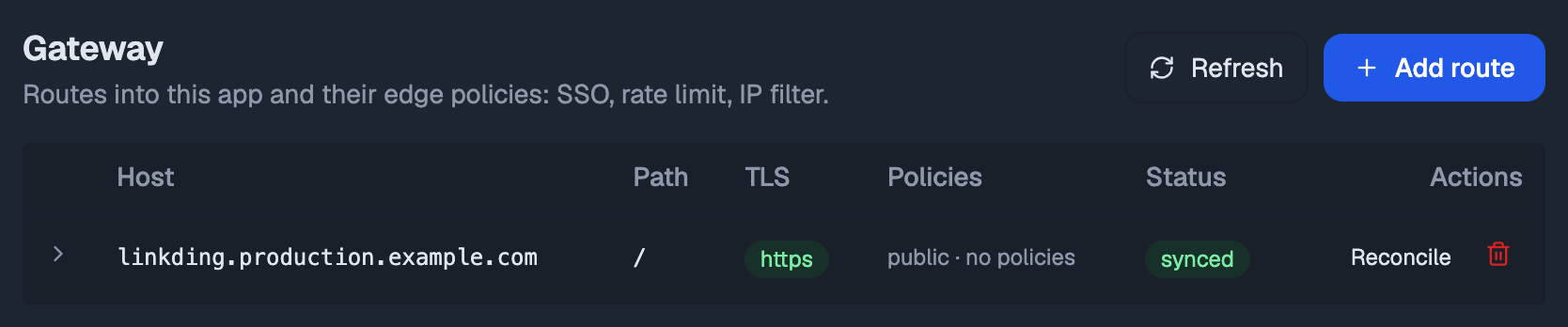
Open the application and go to its Gateway tab. It lists every route with its host, path, TLS state, policies and reconciliation status, and has Add route above it.
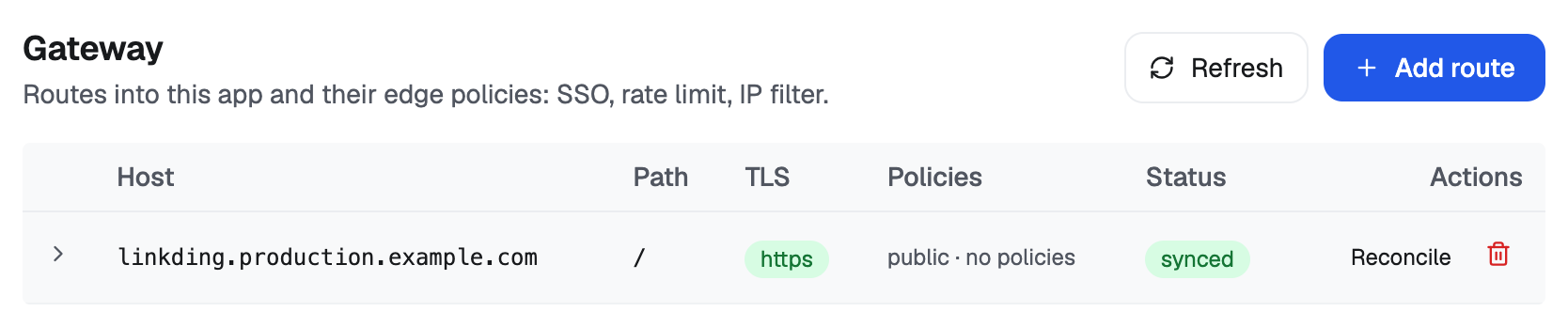
gateway_list_routes: an application’s routes, or every route on a cluster.gateway_route_add: adds a route without asking a person.gateway_route_remove: takes a route off the internet along with its record and its certificate. It stops and asks a person first, and it needs a credential trusted with destructive work. On an installation where destructive work is switched off, the tool is not available.
Who gets through
Each route carries three policies. All three are optional and they combine.
- IP allowlist. One or more address ranges. Be careful: while the allowlist is empty everything is allowed, and as soon as it has one entry everything else is rejected, including you if your address is not in it.
- Rate limit. A sustained number of requests per period, with an optional burst above it.
- Sign-in. Every request must carry a Flui session.
--min-rolealso requires that role on the application:viewer,operatorormaintainer.
They run in a fixed order, cheapest rejection first:
- IP filter: a request from an address that is not allowed is refused (403) before anything else looks at it.
- Rate limit: a request over the limit is refused (429).
- Sign-in: a browser with no valid session is sent to sign in; any other client is refused (401). A signed-in person without the role the route requires is refused (403).
So a caller already blocked by address does not count against the rate limit, and nobody is asked to sign in for a request that is over the limit.
flui gateway allow-ip add my-app api.example.com 203.0.113.0/24flui gateway allow-ip remove my-app api.example.com 203.0.113.0/24
flui gateway limit set my-app api.example.com --average 100 --burst 50flui gateway limit set my-app api.example.com --average 10 --period 1mflui gateway limit clear my-app api.example.com
flui gateway auth enable my-app api.example.com --min-role operatorflui gateway auth disable my-app api.example.com
Ranges can be comma-separated in one argument. --period
takes a duration like 1s, 1m or 1h and defaults to 1s.
The same policies can be set when the route is created:
--sso with --min-role, --average with --burst and
--period, and --allow-ip (repeatable, or comma-separated).
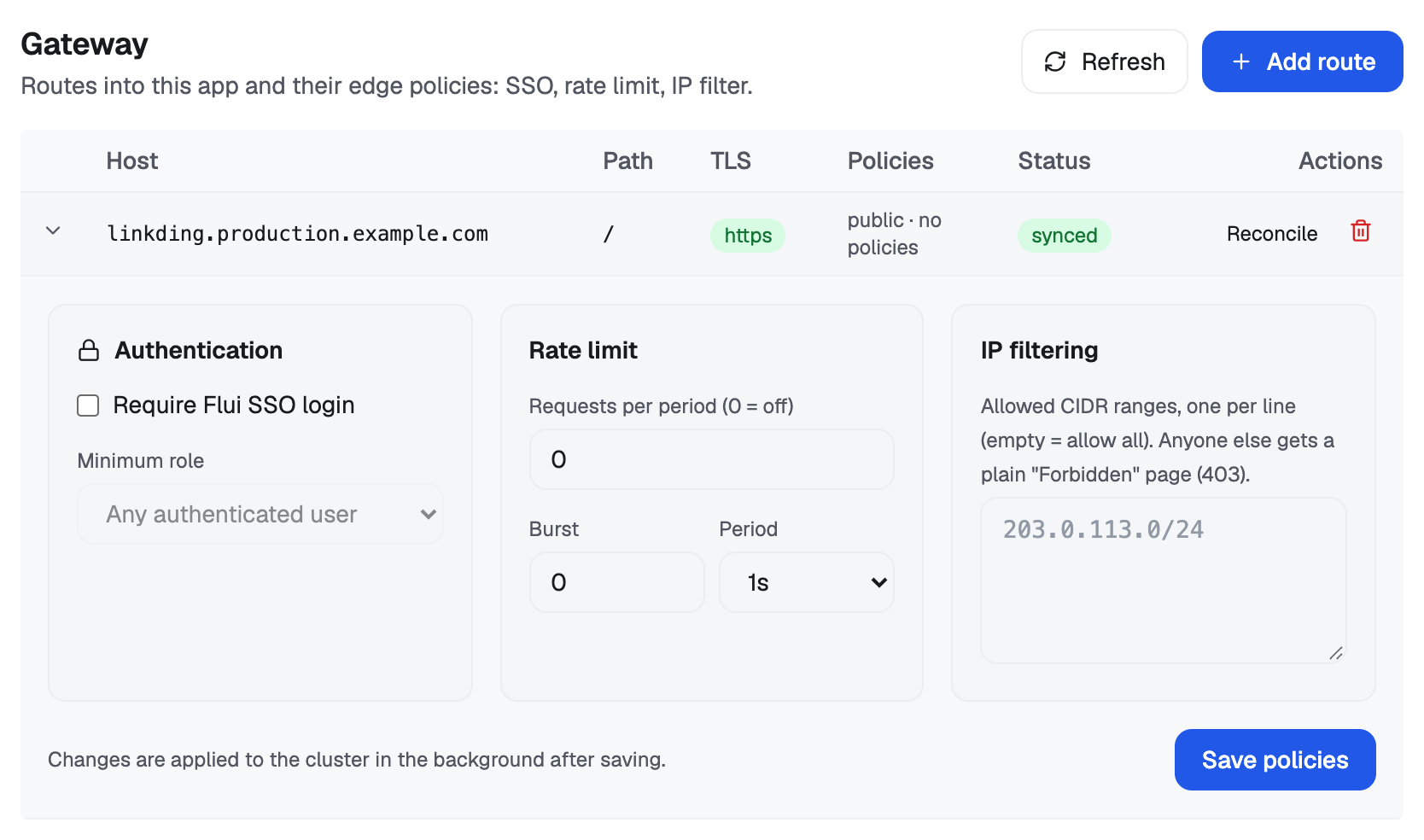
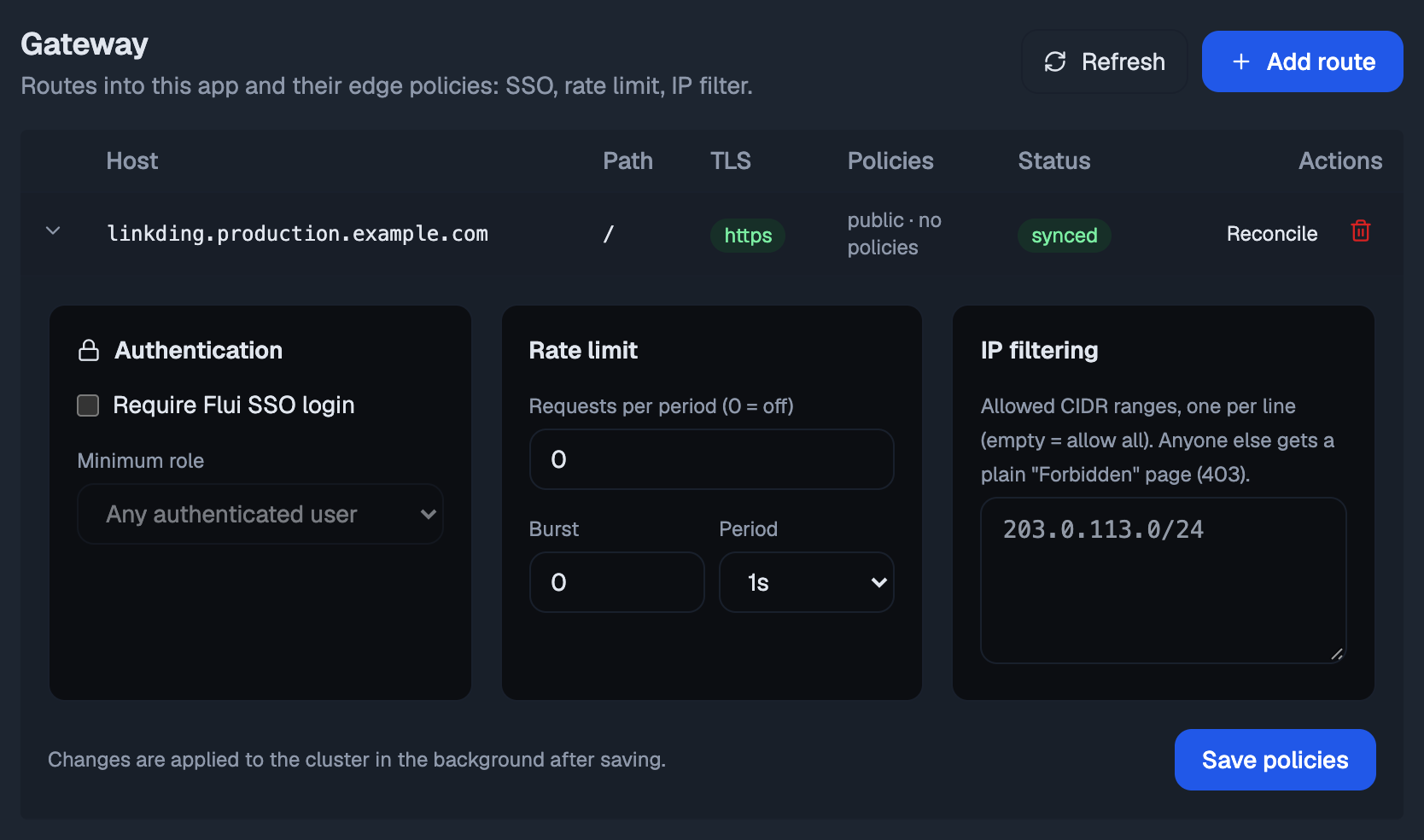
In the Gateway tab, click a route to expand it. Three panels appear (Authentication, Rate limit, IP filtering), and Save policies applies them together.
An empty allowlist means allow all. A rate of 0 means off.
gateway_set_policy sets all three on one route, named by its
endpointId from gateway_list_routes. A field left out
stays unchanged; clearAuth, clearRateLimit and
clearAllowIps remove a policy.
It stops and asks a person first. They answer a plain sentence about changing who may reach that route, and on what terms, because this call decides whether an address on the internet is open or closed.
Check what you built
The record, the certificate and the routing settle in the background, so a route is not necessarily live the moment the command returns. A policy chain is also easy to get wrong in a way that only shows when somebody is refused.
flui gateway status my-appflui gateway explain https://api.example.com/v1/postsflui gateway routes sync my-app api.example.comstatus gives one line per route (synced,
reconciling or error) with the error message when there
is one.
routes sync brings one route’s address record, route and
certificate back in line and says what it did. A failed
certificate is requested again immediately instead of at the
next automatic attempt.
explain answers a different question: for this exact URL,
which route matches, which application it reaches, and what a
request passes through on the way, in order. Where several
routes share a host, the longest matching path prefix wins.
The Gateway tab shows a status badge per route, the error message when a route failed, and a Reconcile action to apply one again immediately.
gateway_status: synced, reconciling or error per route, with error messages. Use it after any gateway change to confirm it took effect.gateway_route_compiled: shows exactly what a route turns into at the edge, without applying anything. Use it to explain a policy change to somebody before making it.
Where this goes from here
- DNS as part of the deploy contract: why reachability is part of the deploy, and what an endpoint is.
- TLS and certificates: which authority signs, and why a wildcard certificate needs a zone Flui can manage.
- The app concept: what else an application carries besides its address.