
Connect an agent
You already have a credential that works, but do not hand it to an agent. Your key carries all of your permissions, it is the key your own terminal uses, and once it is in a model’s context you cannot take it back out.
Give the agent a key of its own instead. That key decides how far the agent reaches, and it is the only thing you have to revoke when you change your mind.
One address, and nothing held open
Flui speaks MCP at a single
address: your installation’s API base with /mcp on the end.
Every call is a POST to that address with the key in an
Authorization: Bearer header.
There is no session to open, keep alive or re-establish after a network drop. Each request is answered on its own, and the server built to answer it is then thrown away.
This follows protocol revision 2026-07-28, which removes sessions and the opening handshake from MCP. Clients built against the 2025 revisions are served too, with the same tools, so an older agent does not need upgrading before it can connect.
The endpoint answers POST only. A GET for an event stream is
refused, because there is no stream: nothing is ever published
outside the reply to a call.
The key is shown once
Flui stores a hash of the key, never the key itself. After minting, the value does not exist anywhere on the installation, so nobody can show it to you again, including whoever runs the installation.
If you lose it, revoke it and mint another. There is no recovery step.
What the key may touch: two lists
Two separate questions decide what an agent can do.
What kind of work is set by the key’s scopes: deploying, reading logs, touching access and so on. Scopes have their own page: Choose what your agent may do.
Which applications is what this page covers. A key can name specific applications, specific projects, or both.
The two lists are alternatives. An application is reachable as soon as either list covers it. Naming an app individually and naming its project are two ways to reach the same app, and a key holding both reaches the union of the two.
This has three consequences:
- A project grant keeps working as the project grows. An app added to a granted project later is covered on its next request. The project is checked against the application as it stands, every time, so there is nothing to refresh or reissue.
- An app named individually stays reachable even if it leaves a granted project. That follows from the lists being a union rather than an intersection.
- Naming neither list means every application you can already reach. That is the default.
You can change both lists on a live key. The agent holding it keeps working against the new lists, with nothing reissued and nothing to reconnect.
The refusal tells the agent this too. When an agent asks about an application outside the key’s reach, it is told that the credential is intentionally limited, where a person can extend it, and that a new key is not needed because the same key can be widened. The agent then asks you to widen the key instead of demanding a fresh credential or giving up.
These lists only narrow; they never grant. An application id on the list that you cannot access yourself opens nothing.
The first call is get_started
Once the agent is connected, get_started comes before every
other tool.
It returns the instructions for operating this installation: how deployment works here, how secrets are handled, and what happens when an action needs a person’s approval. It also records which version of those instructions this credential is working from.
That second part matters to you as well as to the agent. Until a key calls it, the agent keys screen says the key has never reported which instructions it is working from. Once it has, you know the agent actually connected.
Every key can call get_started from the moment it exists,
whatever you switched on when you minted it.
A properly-scoped agent can deploy
A key that carries write access can take an application from a
repository to running on its own, through any of the three ways
Flui supports. It can write and deploy a flui.yaml manifest,
read a connected repository and deploy the map Flui renders from
it, or ship an application straight from a container image with
no repository at all. The agent’s own tools state that none of
the three is the preferred path.
The deploy still does not happen silently. A deploy an agent asks for stops and becomes a question addressed to you (see When your agent stops to ask you). Which of these an agent may attempt at all depends on the permission group you switch on, in Choose what your agent may do.
Minting the key
Minting a key needs a different credential from logging in: a
session token from the installation’s identity provider, passed
with --token or in FLUI_SESSION_TOKEN. The command works
only where Flui is running in OIDC mode.
flui auth generate-api-key \ --name "claude-code-on-my-laptop" \ --scope mcp:app:read \ --scope mcp:obs:read \ --expires 30 \ --token "$FLUI_SESSION_TOKEN"You must say what the key is for. If you pass neither --scope
nor --unscoped, the command fails before it touches the
network, and the error explains why: a key with no scope is the
widest credential the installation can issue, so you have to ask
for it by name.
--scope is repeatable. --unscoped is its opposite, a key with
no ceiling that carries all of your permissions, and the two
cannot be combined. --expires is a number of days; leave it
out for a key that never expires.
A scope you do not hold yourself is refused. You cannot mint a key stronger than you are, and the command does not silently give you a weaker one instead.
Watch out for one thing: the command saves the key into a
profile (the active one, unless you name another with
--profile), replacing the key that profile was using. Your own
terminal then runs as the agent, with the agent’s narrower
reach.
Point --profile at another profile you already have if you
want to keep working in this one. If you forget, flui auth login
mints you a fresh key and puts it back.
The key lives in your own encrypted profile, and the CLI uses it from there. The platform cannot show it to you again.
To see what exists:
flui auth api-keysEach row shows a name, a state (active, expired or revoked), the scopes the key carries, and its id. An unscoped key says so instead of showing an empty list.
To take one back:
flui auth revoke-api-key <id>The key stops working immediately.
Two things are not available on the CLI. There is no --groups
flag: from the terminal you mint by raw scope or with
--unscoped. There is also no flag for the application or
project lists. Keys that use either are minted where the person
giving consent can read what they are agreeing to: the
dashboard, and the API underneath it.
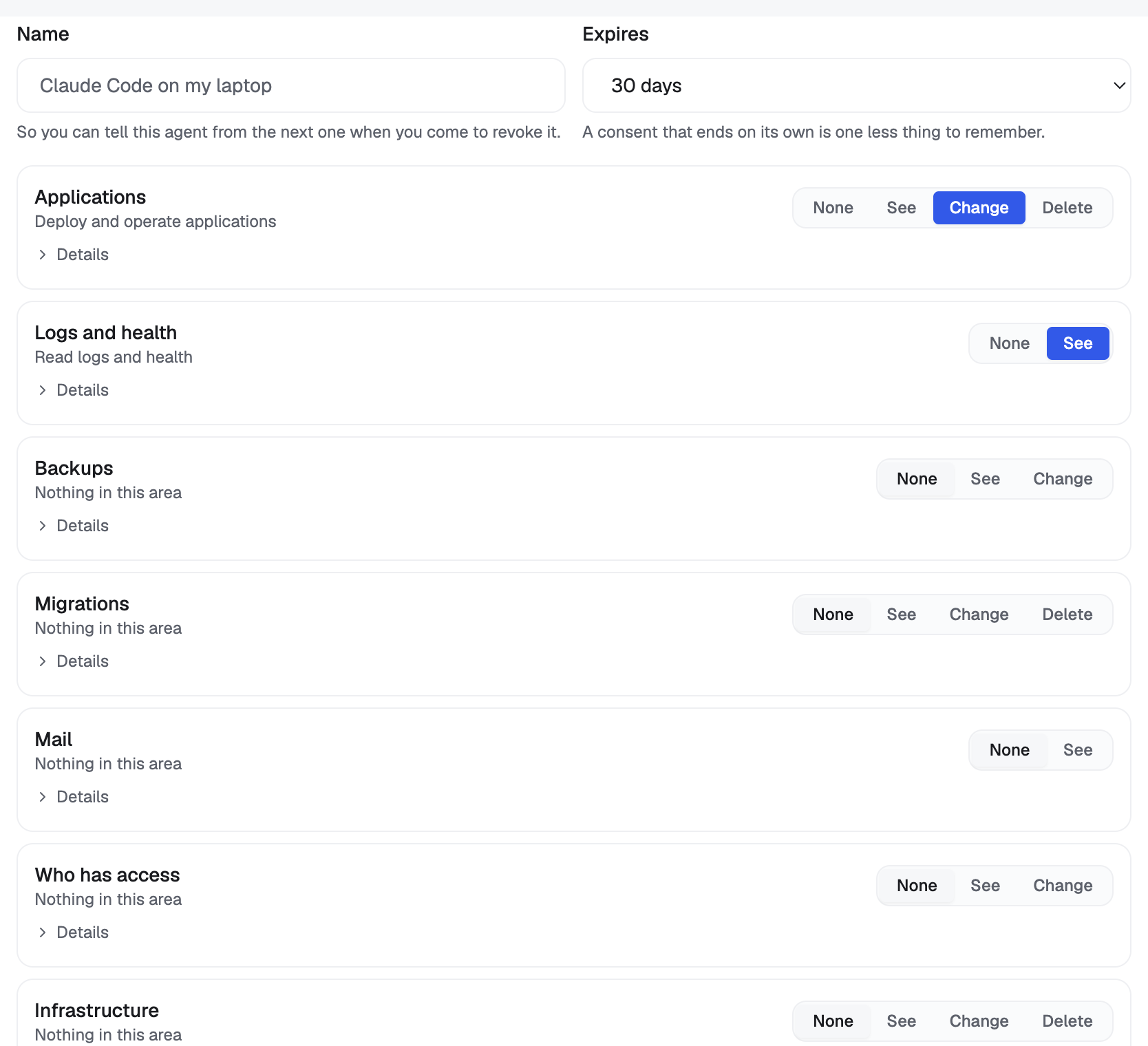
Open Settings, then Agent keys. Here you give an agent a key, see what each key can do, and take it back.
Minting asks for four things:
- A name, so you can tell this agent from the next one when you come to revoke it. Something like Claude Code on my laptop is the right level of detail.
- An expiry. A consent that ends on its own is one less thing to remember.
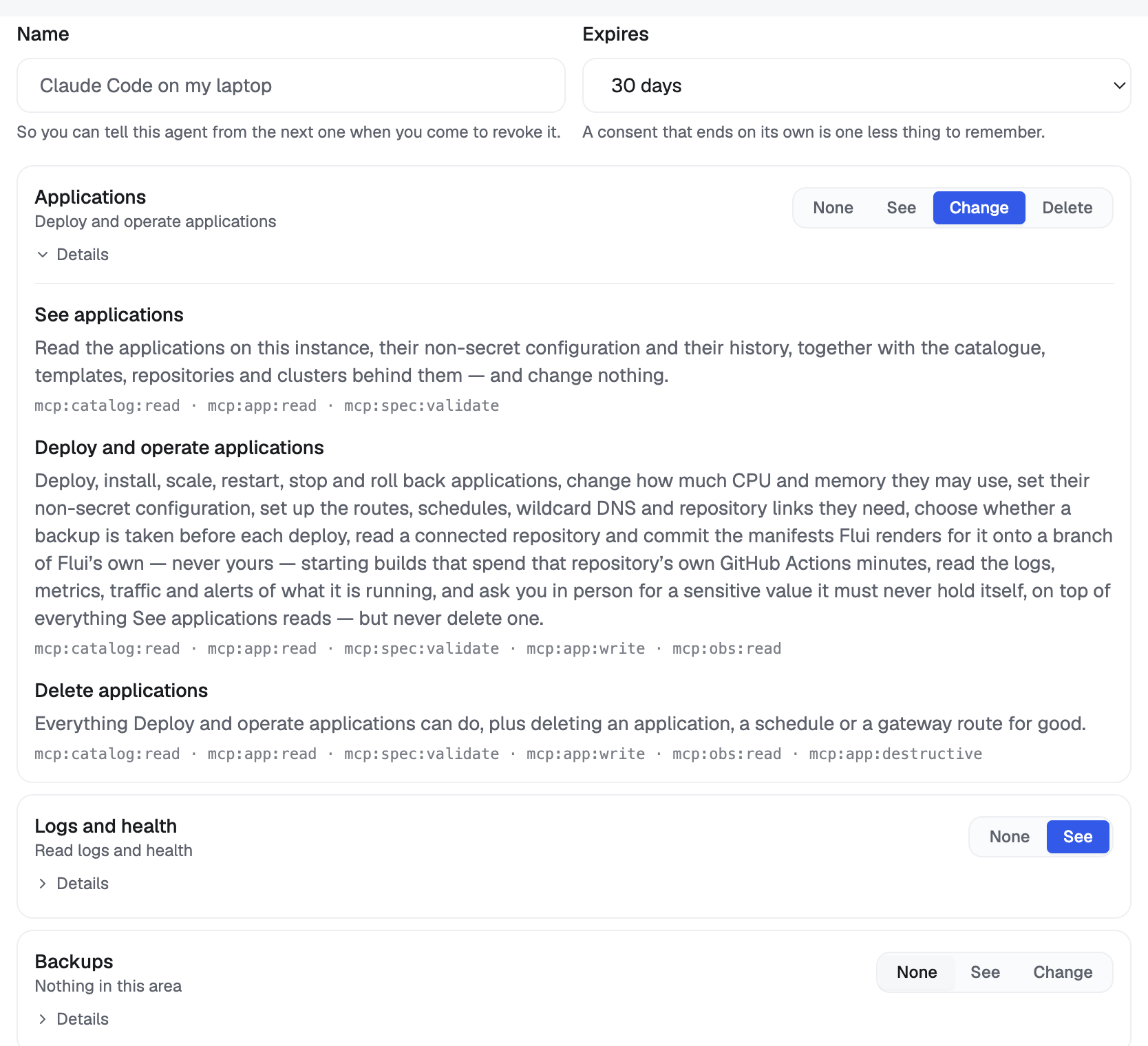
- What it may do. One row per area, with a level: None, See, Change or Delete. Details on a row shows what each level allows, in one sentence written for a person. At least one area must be set, because a key with nothing picked would carry all of your permissions. Which level to pick has its own page.
- How far it reaches. By default, every application you can already reach. Two optional settings narrow that: limit to specific applications, and also grant whole projects. Either one alone is enough. They are alternatives, so an app is reached if either covers it.
Then choose Create key.
The key appears once, in full, with a Copy button, under a line saying this is the only time the value is shown. Copy it before you leave the screen.
Below it is a block of text to paste into the agent’s chat.
It covers Claude Code, Codex CLI and OpenCode, and the agent
reads whichever section matches it. The text tells the agent to
have a person put the key in a terminal, not in the chat, and
then run the one command that registers this endpoint. Its last
step tells the agent to call get_started.
The key itself is never in that text. Anything typed into a chat stays in the model’s context from then on, so the value goes from your clipboard to a terminal and nowhere else.
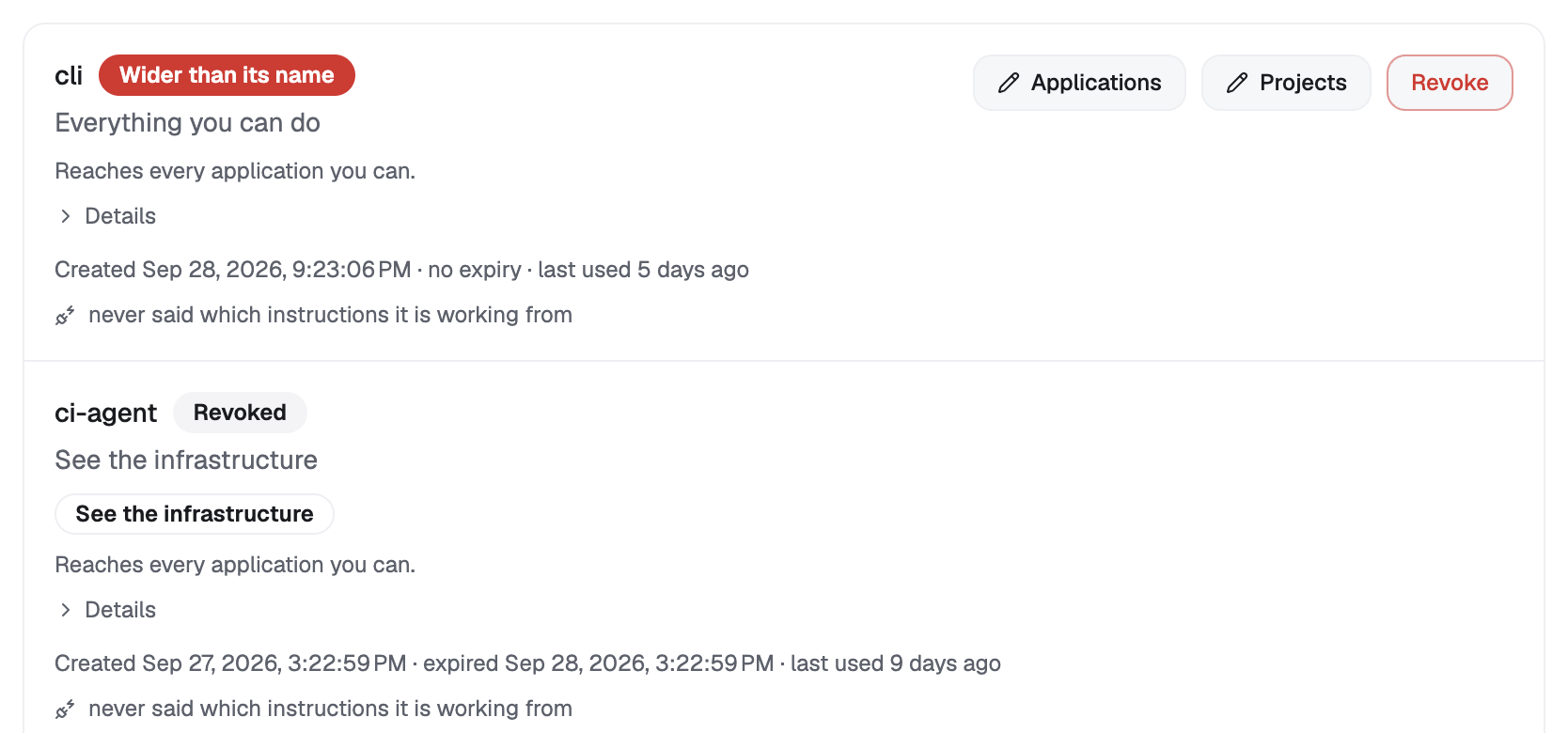
Back on the list, every key shows what it may do, which applications and projects it reaches, when it was made, when it expires, and whether it has ever connected to this instance. A key that has never connected says so. You can edit the application and project lists there, on a key that is already in use.
For an agent that cannot make MCP tool calls at all, the same
instructions are available as a plain document under Not using
MCP?: read it on the screen or copy it. It is the same content
get_started returns, it carries no credential, and it is safe
to commit to a repository.
This tab is for the agent on the other end of the key.
Call get_started first. It explains how work is done on
this installation, and it tells the person who issued the key
that you have arrived. Everything below is easier to follow
after it.
Your tool list depends on your key. The tools you are offered are filtered to what this credential can execute. A missing tool is the answer to a question about your key, not a fault or a version problem. Do not work around it; say what you were unable to do.
Arguments are strict. An argument name that is not in a tool’s schema is rejected, not ignored. A permissive tool would drop the unknown key, leave the real parameter empty, run unfiltered, and give you a confident answer to a question you never asked. The error names both what you sent and what the tool accepts.
A refusal about an application can be fixed. If the key is limited to specific applications or projects, a request outside that reach is refused with an explanation: the same key can be widened in Settings → Agent keys without issuing a new one. Relay that to the person. Do not ask for a fresh credential when the fix is one field on the key you already hold.
You never hold a secret. Eight tools exist only to ask a person for a credential: an API key, an application’s secret variable, the token that pulls container images, a mail provider, a backup destination, provider credentials, a model connection, a user invite. None of them has an argument that could carry a value, because an argument becomes context, and context ends up in the transcript.
Each one tells you whether a thing is configured, never what it is, and hands back either a command for the person to run in their own terminal or the screen they should open. An invite link counts as a credential too and is never returned to an agent.
When one of these reports that the thing is still not configured, treat it as a state, not a failure. Stop, relay it, and carry on with everything that does not depend on it.
Where this goes next
- Choose what your agent may do: the permission groups, area by area, and what each one carries.
- When your agent stops to ask you: what happens the first time your agent tries to change something, and where you answer.
- The Flui Assistant and MCP: why there is one tool registry behind both the in-product assistant and this endpoint.
- How Flui reads a repository:
what
repo_mapandrepo_map_applyactually do when an agent reaches for the second of the three deploy paths. - Authentication:
flui auth login, and how the CLI’s own key differs from the one you just made.