
Send mail from this installation
Most failures on this platform are visible: a build breaks, a container restarts, a page answers 500.
Mail is different. A message that was never delivered looks the same, from your side, as one that arrived. Nothing errors. You find out weeks later, when someone tells you their invitation never came.
For that reason Flui treats mail as a capability with its own state: which provider carries which kind of mail, which domains you may send from, what the receiving servers said, and which addresses you have stopped writing to. This page covers that whole loop.
Two senders, kept apart
Flui asks you to make this decision up front, because it is easy to get wrong.
There are two kinds of mail, and each has its own connection:
- transactional: one message to one person, because that person did something. A password reset, an invitation, a receipt.
- bulk: one message to many people. A newsletter, an announcement.
They never share an account. If a mailing list draws a complaint and the provider suspends you, the suspension also stops your password resets. With separate accounts, a problem with the newsletter stays with the newsletter.
Providers also have a say. Most transactional providers forbid one-to-many mail in their terms. Flui refuses a bulk send through a provider whose capabilities do not include it, so you do not find out when the account is closed.
The four providers
| Provider | Carries | Credential |
|---|---|---|
| Scaleway Transactional Email | transactional | none (it reuses the Scaleway key Flui already holds for compute) |
| Brevo | transactional and bulk | an API key |
| ZeptoMail | transactional | a send-mail token, plus its regional API host |
| SMTP relay | whatever you declare it may carry | host, port and a password |
ZeptoMail and the SMTP relay are written and tested, but neither has been observed delivering a real message to a real inbox. The dashboard does not offer them. The CLI still connects them, with a warning first, because the CLI is the tool you would use to prove one works. If the CLI refused too, neither could ever be proven.
Connect a provider
One command per provider. When the installation already holds a Scaleway compute credential, Scaleway needs only a domain, because the key is already here. Otherwise it asks for one:
flui mail connect scaleway-tem --domain mail.example.comAny other provider needs a credential, and the command asks for it at a prompt instead of taking it as an argument. Before the prompt, it prints where to get the credential (the exact path through that provider’s console) and what to watch out for:
flui mail connect brevo --scope bulk --domain news.example.comThe prompt does not echo, and nothing lands in your
shell history. Pass --stdin to pipe the credential in
from a password manager instead.
A --secret flag also exists, for scripts. The examples
avoid it: a flag lands in your shell history, and every
other account on the machine can see it while the
command runs.
An SMTP relay knows nothing about itself, so you supply everything:
flui mail connect smtp \ --host smtp.example.com --port 587 \ --username postmaster --allow-bulk--allow-bulk is a declaration, never a guess, because
only you know which relay this points at. Without it,
bulk sends through the relay are refused.
Other flags:
| Flag | What it does |
|---|---|
--scope transactional|bulk | What this sender carries. Defaults to transactional. |
--domain <domain> | The sending domain. Flui registers it and publishes what it can. |
--activate | Start sending through this one now. Without it, a new connection only takes the scope if nothing else holds it. |
--label <name> | What you call it. |
--region <host> | ZeptoMail only, and required. The regional API host is also where the account’s data lives, so Flui never guesses it. |
--spf-include, --dkim-selector, --dkim-value | SMTP only, copied verbatim from the relay’s setup page. |
The command converges: running it again fixes what is missing instead of creating a second connection.
When it finishes, it reports three things separately: what was connected, whether it is carrying mail yet, and what you still need to do by hand.
To see the state later, and to switch:
flui mail providers # who carries whatflui mail use <id> # move a scope onto another oneflui mail disconnect <id> --yesflui mail providers also lists connections that are
configured but not sending, under standby, so you do not
end up pasting the same API key in twice.
use is reversible: the provider you switch away from
keeps its credential.
disconnect destroys the stored credential, so it
requires --yes. Flui first polls the provider one last
time, so a bounce still in flight is not lost. The
domain stays registered at the provider either way.
Mail → Providers has two slots, one per kind of mail, because transactional and bulk are different senders.
Each slot shows what carries that kind of mail now, what is configured behind it on standby, and a button to switch. Connecting asks for the credential in a form, with a link to the page in the provider’s console where the key is issued.
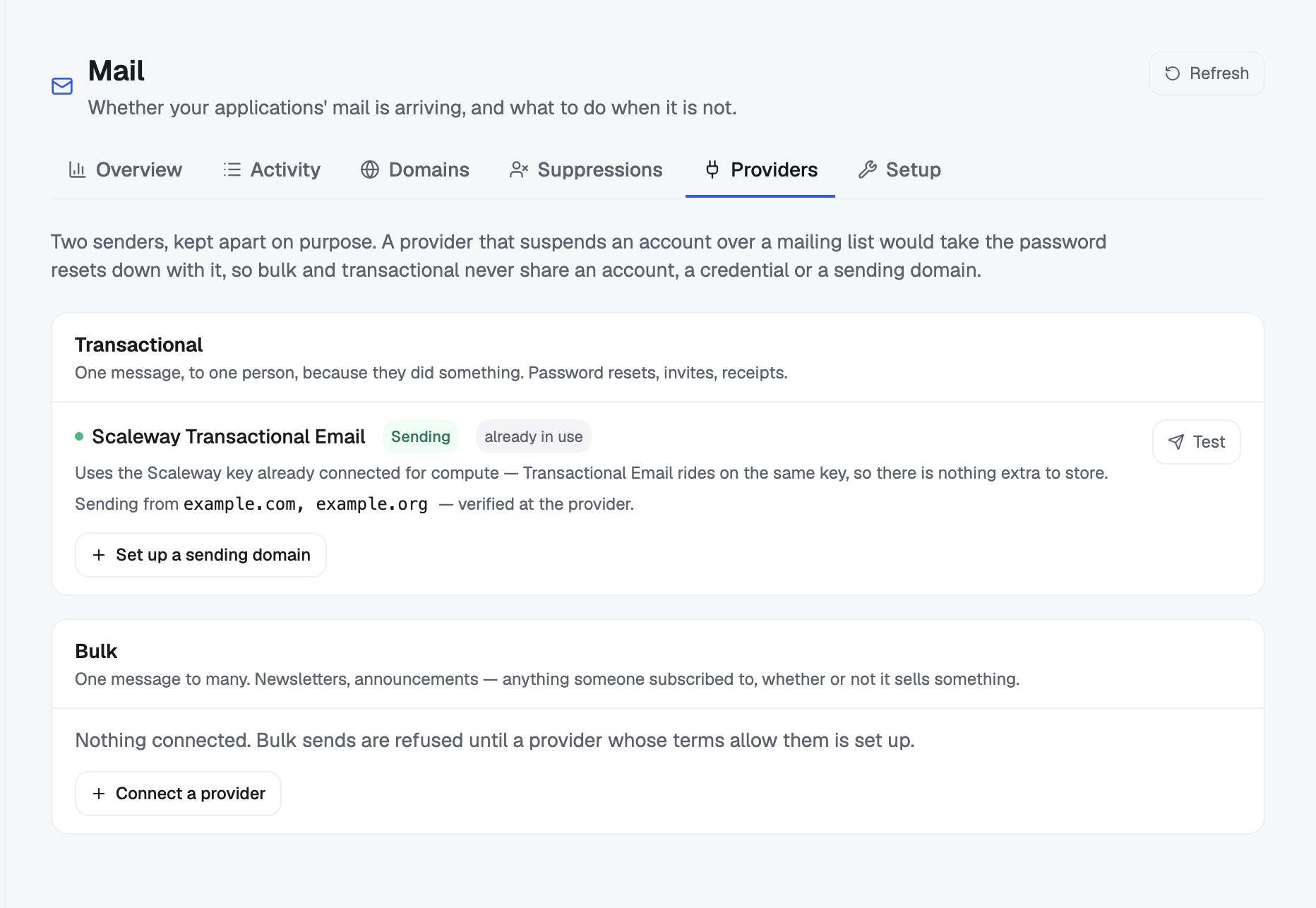
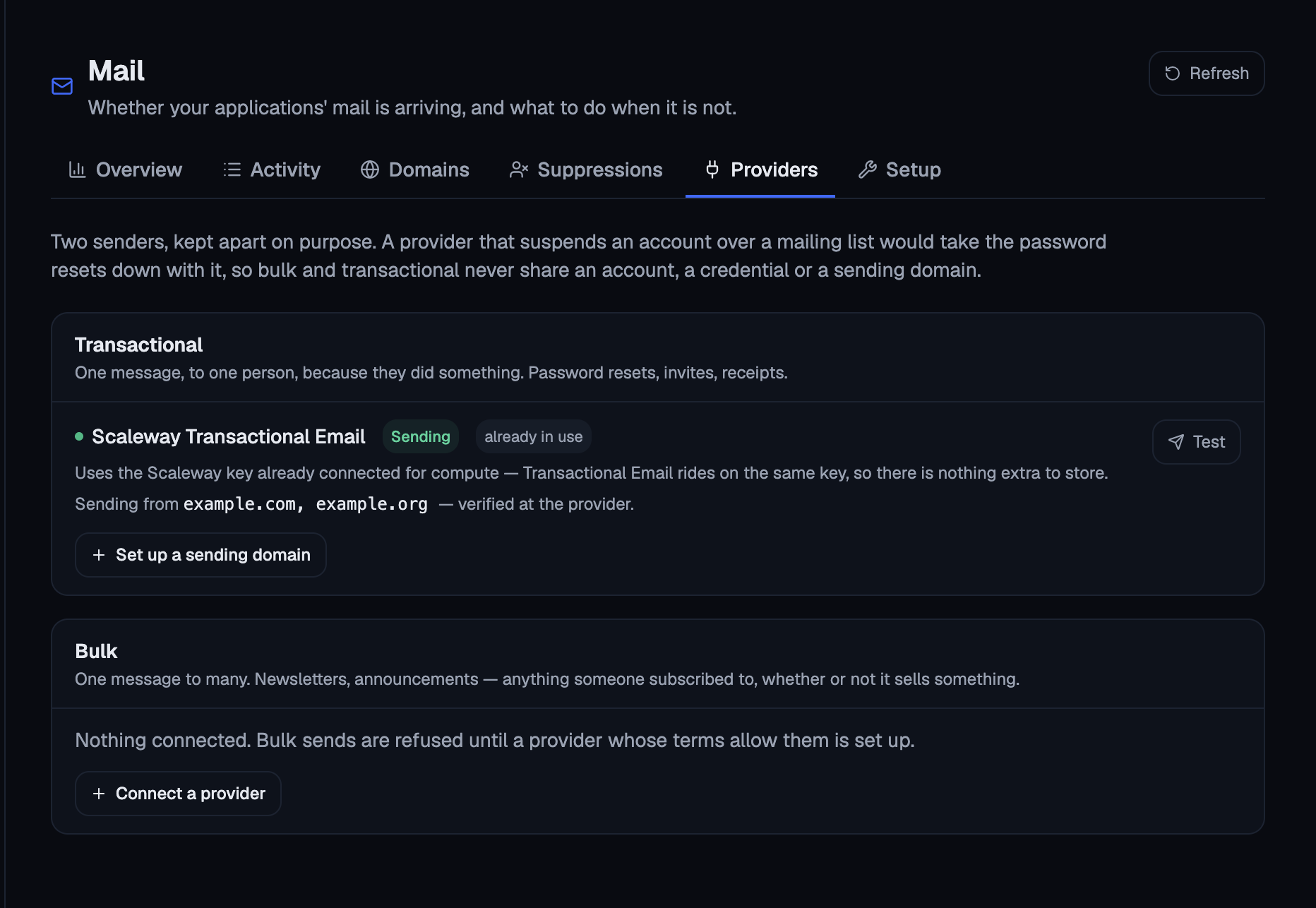
ZeptoMail and the SMTP relay appear here but cannot be chosen. They are unproven, and the dashboard is where someone is most likely to pick one without reading the warning. To prove one yourself, use the CLI.
Disconnecting asks for confirmation and tells you what remains: the domain stays registered at the provider, the DNS records stay published, and delivery outcomes already collected are kept.
An agent can ask you to connect a provider. It can never hold the credential.
mail_provider_request takes a provider name and a
scope, both optional. None of its arguments can carry a
key. It answers with what is already connected and, for
the provider you named, the exact command for you to run
in your own terminal.
That command is the one above, which prompts for the credential instead of taking it on the command line. The key goes from the provider’s console to your terminal and nowhere else: not into a chat transcript, a tool call or a log.
If the provider is already connected, the agent is told so, and told that the credential cannot be read from here. Running the command again replaces it.
Register a sending domain
You cannot send from a domain you have not proved you own. The provider needs records published in your DNS (SPF and DKIM at minimum), and it re-reads them on its own schedule before it accepts mail from you.
flui mail publish example.comThis does two jobs: it registers the domain with the provider, and it publishes the records the provider asked for.
Where Flui holds the zone, it writes the records for you. Where it does not, they come back as an outstanding list (name, kind and value) for you to publish wherever the zone lives.
MX and SPF records get special handling. Flui writes an
MX only into a domain that has none, because overwriting
an existing one would silently swallow a working inbox.
SPF is merged, not replaced: Flui adds its include: to
the existing record, and refuses when the domain
publishes more than one. Every other record replaces
whatever shares its name.
Verification comes from the provider and lags DNS by
minutes, and the command tells you so. Check with
flui mail readiness --domain example.com. You can run
publish again as often as you like, because it
converges.
To hand a domain back:
flui mail remove old.example.com --yesThis is permanent. The DKIM private key is destroyed
with it, so registering the same domain again issues a
new key under a new selector. The DNS cleanup is
partial. The DKIM record is removed and Flui’s own SPF
include is taken out, while the MX and DMARC records are
named in the output and left in place: nothing recorded
whether Flui created them, and deleting an MX that Flui
did not create stops inbound mail with no error
anywhere. --keep-dns revokes the domain at the
provider and leaves the zone untouched.
Mail → Domains lists every sending domain across every connected provider. Each row shows SPF, DKIM and DMARC, and whether the provider has verified the domain yet.
A missing DMARC record shows amber, not red. It does not stop a send, and a red mark on something that is not broken teaches people to ignore red marks.
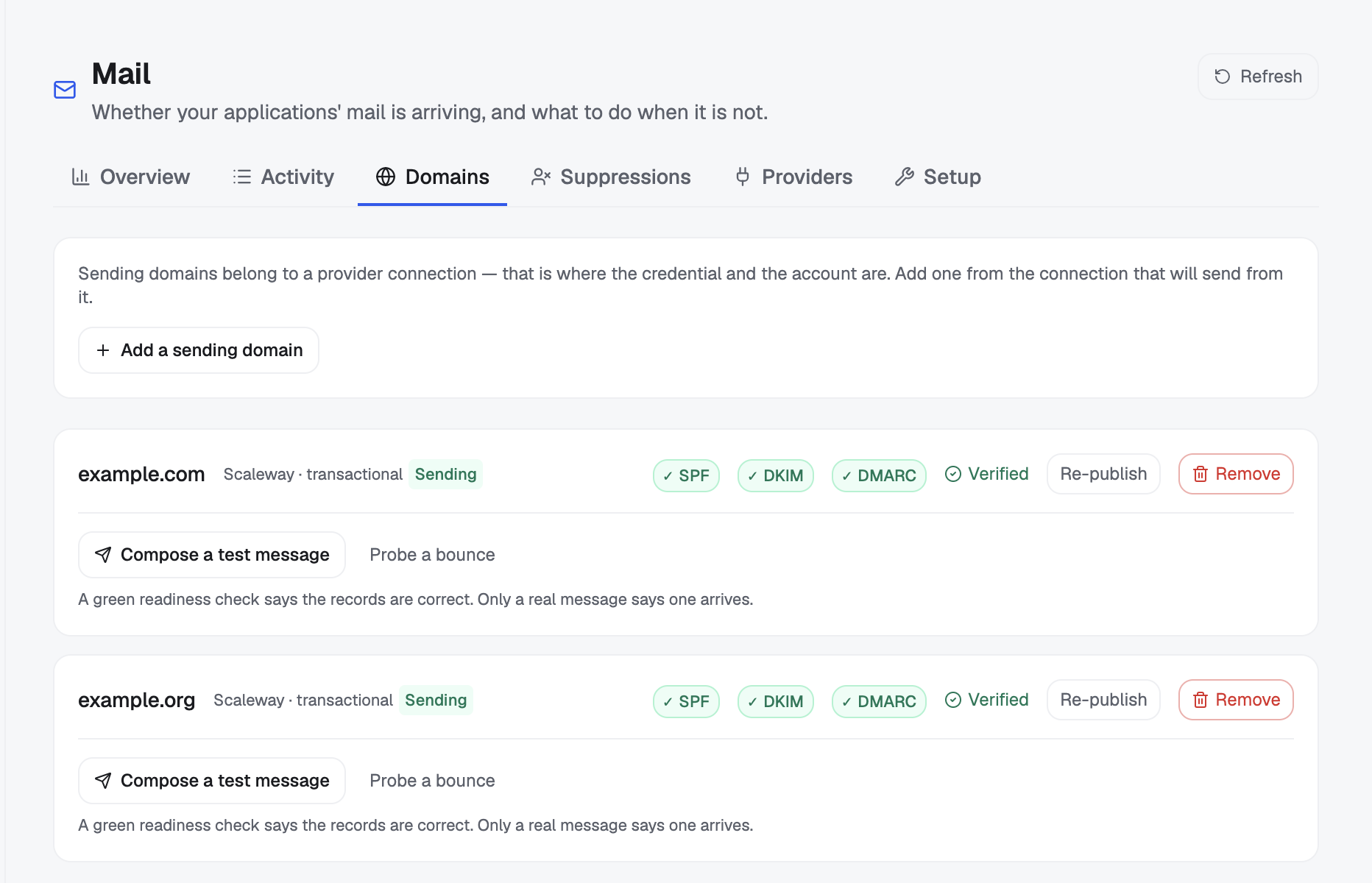
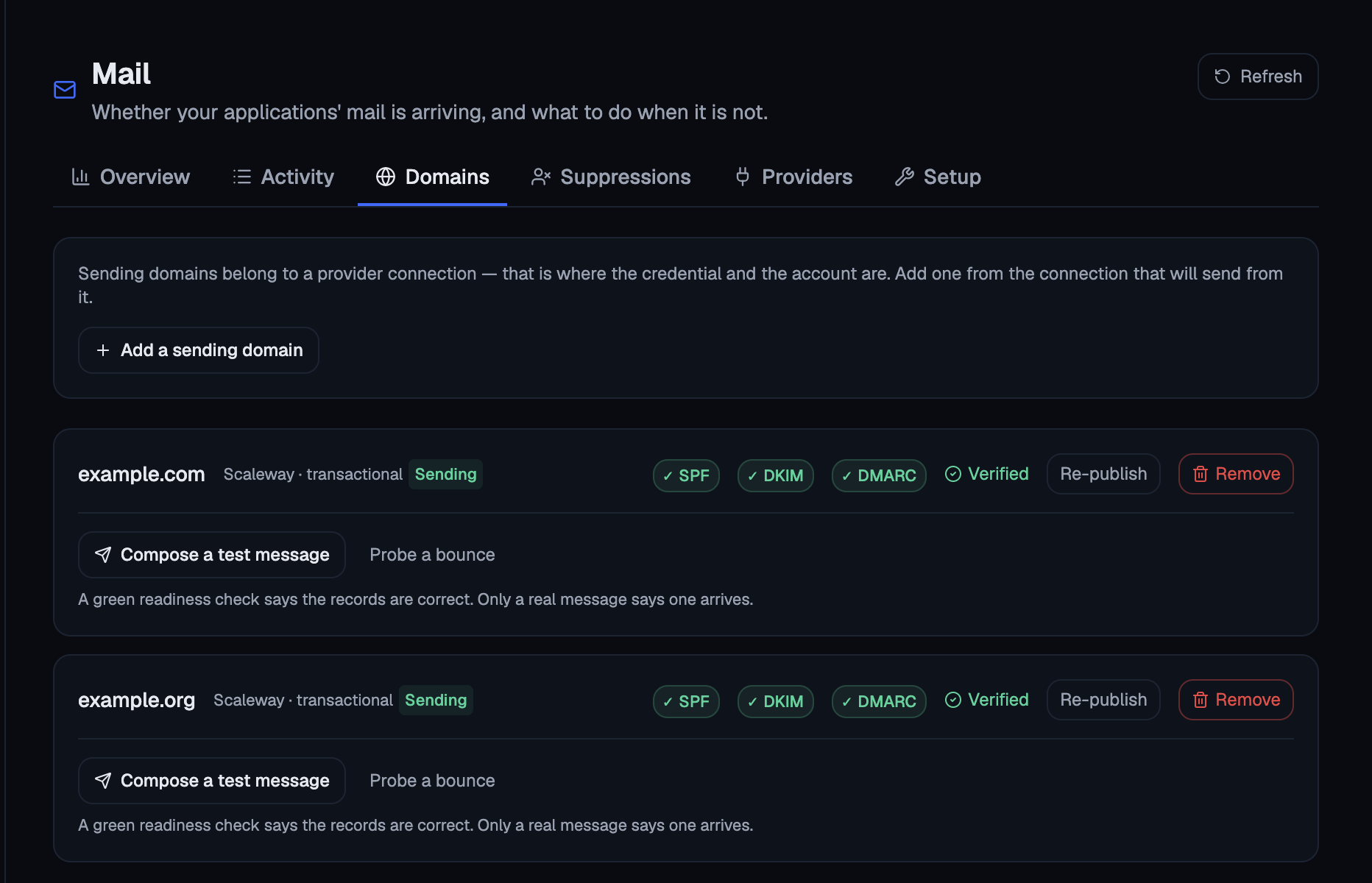
A domain is registered from the connection that sends from it: Add domain on its row under Mail → Providers. On this page, Re-publish writes what Flui can publish and shows you the rest to copy. Removing a domain asks for confirmation and repeats the warning about the DKIM key.
mail_domain_publish is the only write in the mail
surface an agent can reach, and what it writes is DNS
records. It sends nothing, and no tool gives an agent a
way to send.
Because it changes your DNS, it is handled like other infrastructure changes:
- Permission group. It is not in the mail group. It sits in Operate the infrastructure, alongside the other things that change the shape of your installation.
- Action cycle. An agent that calls it creates a request, and you answer it. The sentence you answer names the domain: claim example.com as a sending domain and publish its DNS records. Claiming a sending domain in someone’s zone is that person’s decision.
It is safe to call again while waiting. It does not
report verification; the agent is told to poll
mail_readiness for that instead of republishing.
Ask what is still missing
When mail does not arrive, several different causes look identical from outside: a credential that does not cover the provider’s email service, a domain registered under a different account, records still propagating, or a domain the provider has not accepted yet. Each one needs a different fix.
So Flui does not infer the reason from a failed send. It asks the provider and reports four ordered steps on Scaleway and Brevo. ZeptoMail and SMTP report only the first, the credential:
| Step | The question it answers |
|---|---|
credential | Does the connected key reach the provider’s email service at all? |
domain | Is this sending domain registered there? |
dns | Are SPF and DKIM published, and correct? |
verification | Has the provider accepted the domain? |
Each step comes back in one of four states:
- satisfied: done.
- Flui can do this: nothing blocks the step; it is waiting for a command.
- needs you: carries the exact action, and a link to the provider’s console where you take it.
- in progress at the provider: not an error. The provider is still working, so wait.
flui mail readinessflui mail readiness --domain example.comWithout a domain it checks only the credential, which is enough to tell whether email is set up here at all.
It asks the provider that is currently carrying transactional mail, not whichever one was connected first. A readiness report about an account that is not sending would mislead you.
Mail → Setup shows the same four steps, with a field to check one specific domain. The number of steps that need you appears as a badge on the tab, shown on Overview and Setup.
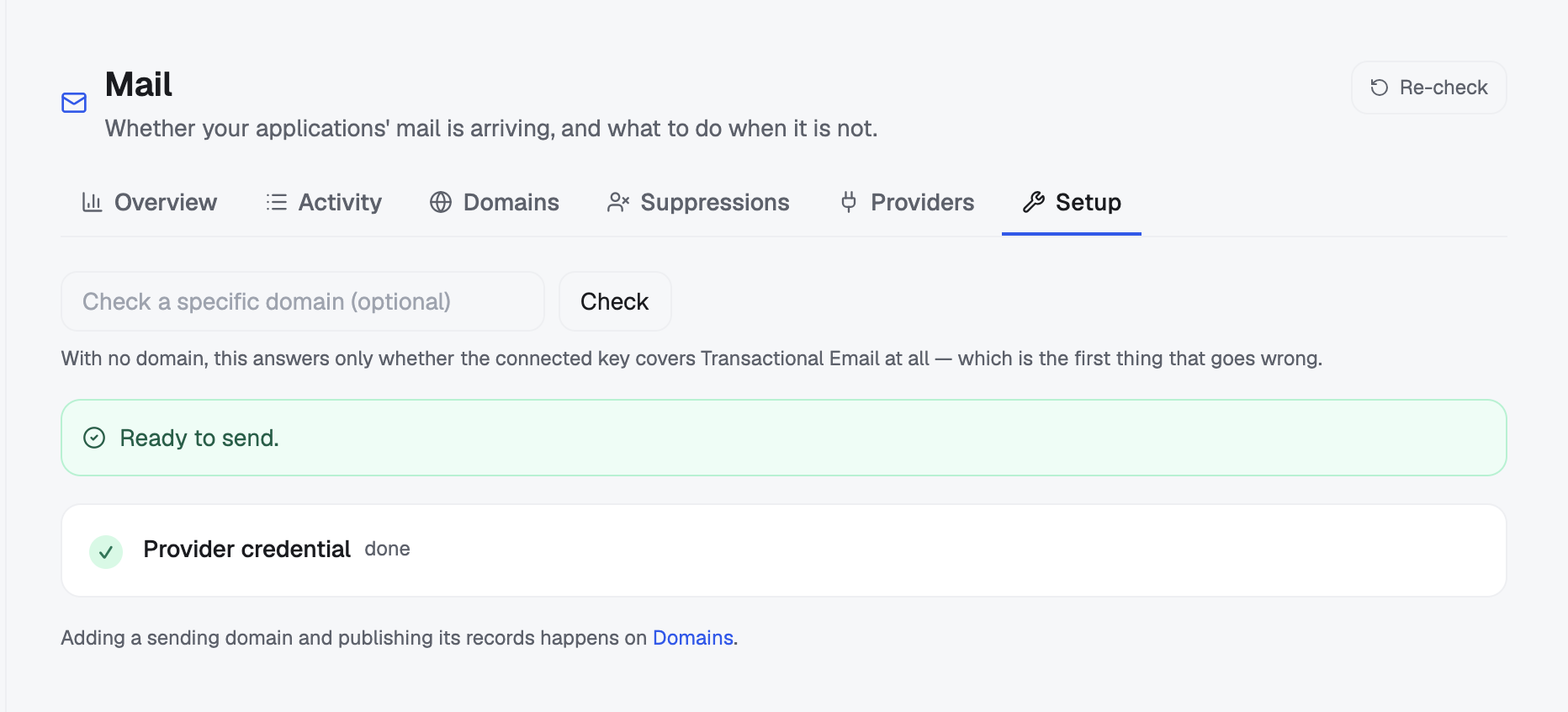
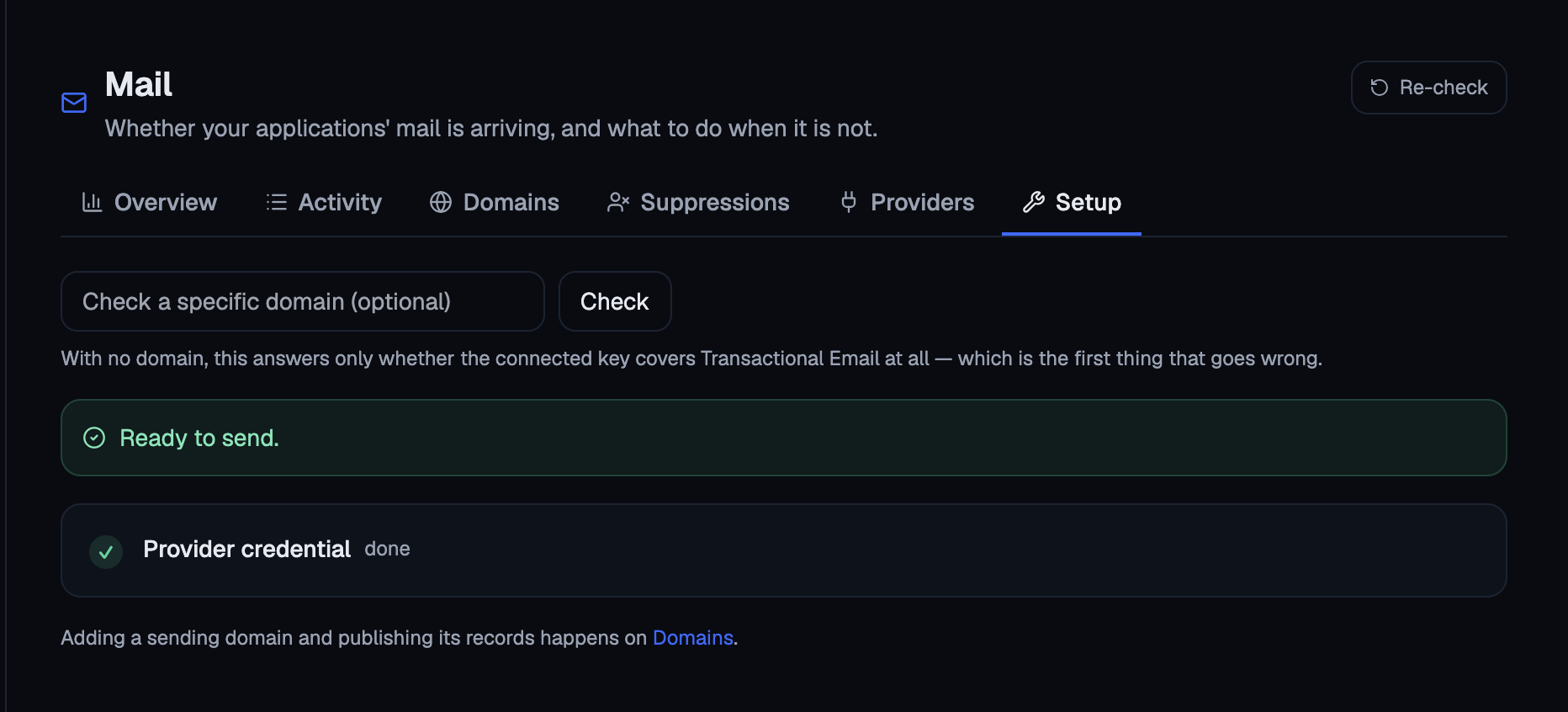
mail_readiness, optionally with a domain.
An agent should start here for any “mail is not arriving” question, and the tool’s description says so. The four causes look the same from a failed send, and a wrong guess sends the person the agent is helping to the wrong place.
Prove it, before you depend on it
A green readiness report says the records are correct. It does not say that a message arrives. To know that, you have to send one.
There are two proofs:
- A delivery test sends a real message to an address you can open. By default that is your own address, because it is the only mailbox you can check and the only one Flui should write to without being asked.
- A bounce probe sends to a subdomain of your own domain that does not exist. A real refusal then travels the whole path (provider, poller, activity list) and you watch it arrive. This tests Flui’s side of the path rather than the provider.
flui mail test example.comflui mail test example.com --to me@elsewhere.testflui mail test example.com --bounceBefore anything is sent, the command prints the sender, the recipient and the subject, so mail never goes somewhere you did not see.
--connection <id> probes one provider instead of a
domain. It is the only way to test a bulk sender, or a
provider that is configured but not yet carrying
anything.
Run the bounce probe a second time and the command
reports that nothing was sent, which is the expected
result. The address went onto the do-not-send list
during the first probe, so Flui refused before
dialling. That shows the suppression list working, and
a second run is the only way to see it. Clear the
address with flui mail unsuppress when you want to
run the probe again.
Mail → Setup, below the readiness steps, in a panel called “Prove it end to end”. The same two probes, and the same draft shown before anything is sent.
Not available. An agent cannot send mail, so it cannot send a test.
Send a message
flui mail send \ --from noreply@example.com \ --to someone@example.net \ --subject "Hello" \ --text "Hi there"--to repeats for more than one recipient. Use --html
instead of, or alongside, --text; one of the two is
required. --reference attaches your own correlation id
to the message. Use it for an id, never for content.
--scope defaults to transactional. If you ask for
bulk through a provider whose terms forbid it, the
message is refused here, before it can lead to a
suspension.
The result says accepted, and the command reminds you that this means the provider took the message, not that it arrived. The verdict comes later, from the receiving server, and you read it in the delivery events.
The dashboard has no free-form composer. Sending from a verified domain carries your own reputation, and the terms most transactional providers publish forbid the one-to-many mail an editor box invites. The dashboard sends the two test messages and nothing else.
There is no mail_send tool.
An agent that can send from your verified domain is a phishing tool with your reputation behind it. Its mail would be outbound, irreversible, and impossible for the receiver to tell apart from mail you wrote yourself. The questions agents get about mail, such as why an invite did not arrive or whether a domain is authenticated, only need reads.
Sending stays with the API, the CLI, and the product’s own flows, which have a person behind them.
Read what happened
Flui stores delivery outcomes as state, not as a log. A message’s verdict changes as it progresses: queued, then sent, then delivered, or bounced an hour later. Flui keeps one row per message and recipient and updates it, so you do not have to fold a log yourself.
Each outcome carries the recipient, the subject, the SMTP status code, and the receiving server’s own words, quoted verbatim:
550 5.7.1 SPF check failed for example.comThat line is usually the only text on the platform that explains why a message failed, so Flui never paraphrases it.
What each provider can tell you
Providers differ a lot here. If a provider never confirms delivery, you cannot ask it whether mail arrived, however good its console looks.
| Provider | How outcomes arrive | What you get |
|---|---|---|
| Scaleway | Flui polls | The fullest set: queued, sent, delivered, bounced, complained, canceled |
| Brevo | Brevo pushes to Flui | The full vocabulary, including complaints and unsubscribes. The only one that can feed a bulk suppression list properly |
| ZeptoMail | ZeptoMail pushes to Flui | Failures only. Delivery is never confirmed: no failure means accepted, which is a weaker claim |
| SMTP relay | Nothing arrives | Only the addresses the relay refuses at handover. Later failures come back as bounce messages to a mailbox Flui does not read |
Flui tells you about a provider’s blind spot once, when you connect it, so you do not discover it later from a console that looks empty.
flui mail eventsflui mail events --since 2026-08-11T00:00:00Zflui mail events --message-id 4f2c…--since takes an ISO timestamp and compares it with
the time of each message’s latest state, so a message
sent this morning that bounces this afternoon is found
under the afternoon. The list shows the latest 50.
For a summary of everything:
flui mail overviewflui mail overview --window 24hThis shows an incident line if there is one, the
headline rates, every sending domain with its proofs,
and each sending address with how it is doing. Windows
are 24h, 7d, 14d (the default) and 30d. The
preceding window of the same length is the baseline for
the change figures. If the baseline window holds no
mail, no change figure is shown.
Two tabs answer two different questions.
Mail → Overview answers how sending is going. It shows an incident banner first when there is something to report, then sent, delivered, bounced and complaints with their movement, a volume chart, the domains with their proofs, and every sending address with a verdict: delivering, degraded, failing, or silent. Silent means the address was handed to something that has never used it. No provider can report that, because a provider only knows about mail that exists.
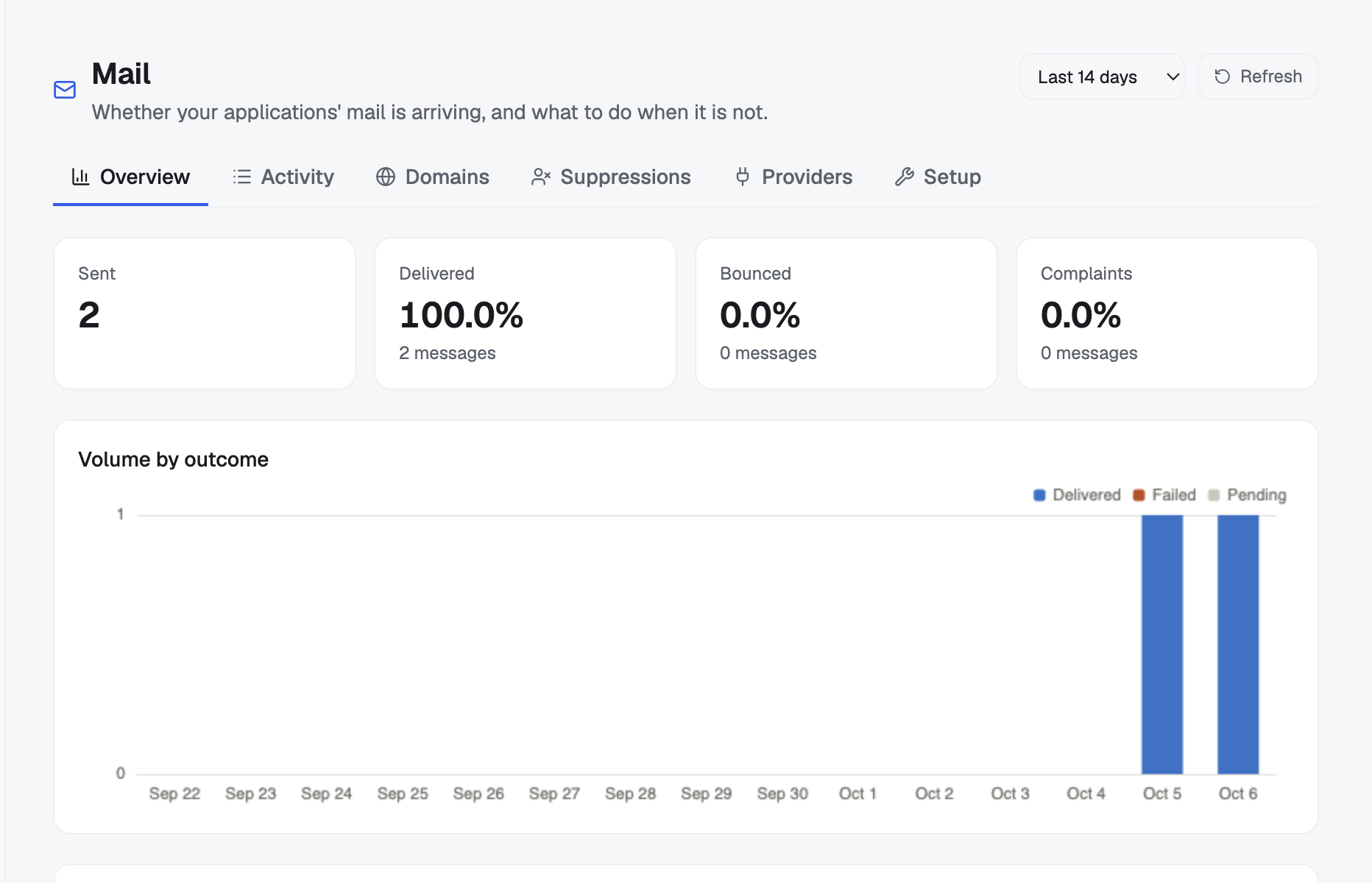
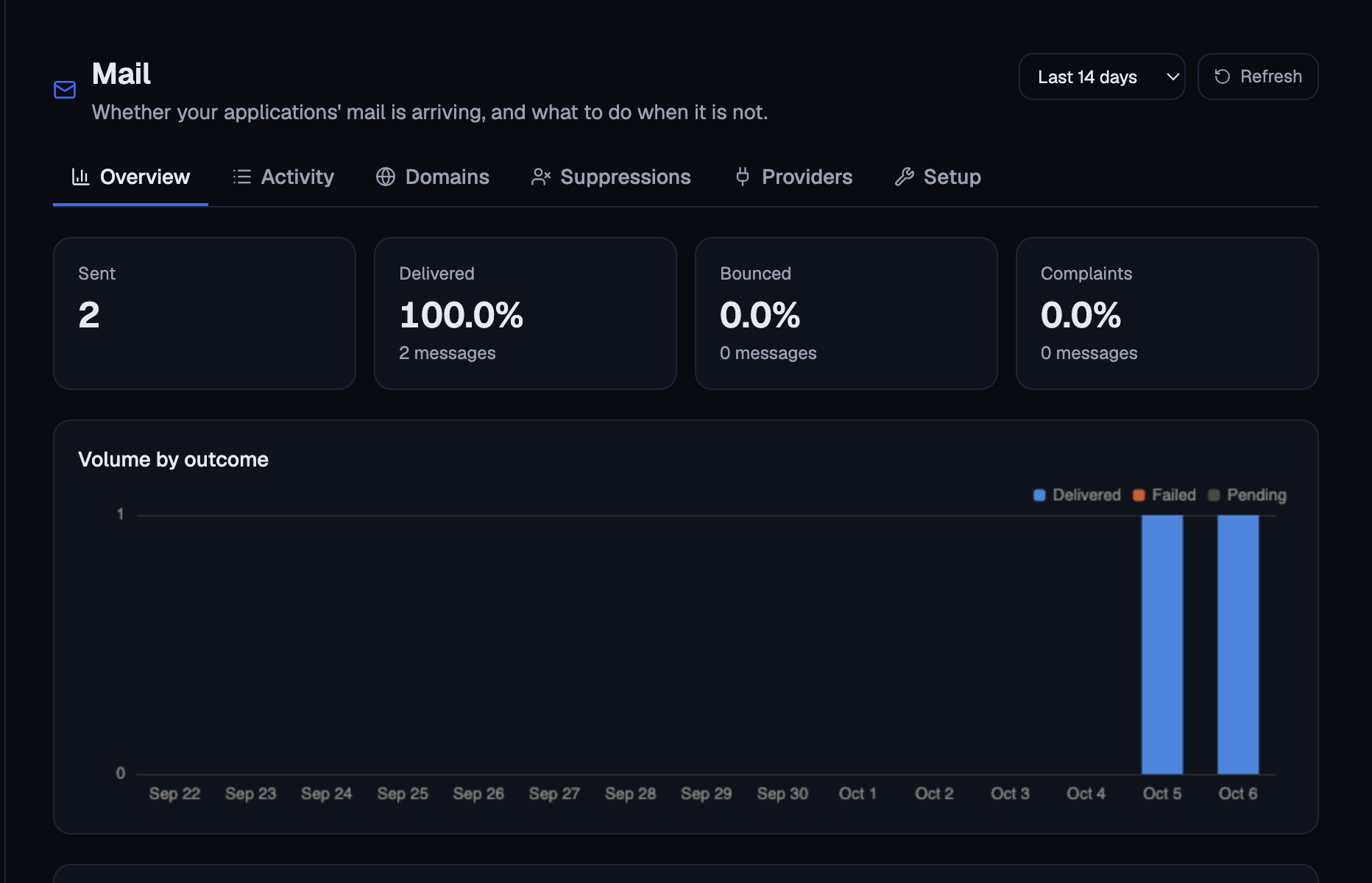
Mail → Activity answers what happened to a given message. It lists the events, filtered to Everything, Failures, Delivered or In flight, and searchable by address on either side.
mail_events, optionally with since.
The raw list is mostly repetition, so the agent gets a projection instead: a total, a count per outcome, and the failures themselves.
The do-not-send list
When an address bounces permanently, someone reports you as spam, or someone unsubscribes, Flui stops writing to that address. You can read the list. A do-not-send list nobody can see is one nobody can trust, and the application that thinks it sent something has no way to see it.
Each entry has a reach:
- everything: a mailbox that does not exist is missing for every kind of mail, and so is someone who reported you as spam. Nothing is delivered.
- bulk only: someone who left a mailing list may still be waiting for the password reset they asked for thirty seconds ago. Their transactional mail keeps arriving.
Treating the two the same way would lock people out of their own accounts without anyone noticing.
flui mail suppressionsflui mail suppressions --scope bulkEach entry shows why it was suppressed, when, and how far the stop reaches.
To release an address:
flui mail unsuppress someone@example.comA mailbox that was full in March can work again in April, and a list with no way off would eventually suppress your own address. Releasing only clears the record and says nothing about the mailbox. If the address bounces again, it is suppressed again.
Mail → Suppressions shows the same list, with the reason and the reach on each row, and a release control per address.
mail_suppressions reads the list. It takes no
arguments.
An agent should check it before concluding that a person never got an email, because a suppression is invisible from the application’s side.
Releasing an address is a write and is not available to agents. You do that from the dashboard, the CLI or the API.
Seeing mail is its own permission
Recipient addresses are other people’s personal data, and that shapes who can reach any of this.
On the agent surface, mail is its own permission area, next to applications and logs rather than inside them. The group is called See mail delivery. It is read-only, and there is no deeper mail group, because no scope on the instance lets an agent write mail.
Giving an agent your logs does not give it everyone’s email. That needs its own approval.
The one exception is mail_domain_publish, which is
filed under Operate the infrastructure because it
writes DNS records, and which asks you first.
On the dashboard and the CLI, the whole Mail section is gated, not only the writes. It needs authority over the whole installation, held globally rather than limited to one cluster or one set of applications. That puts it at the same level as providers, backups and cluster firewalls.
More on how those groups are chosen: Choose what your agent may do.
Flui sends its own mail too
The API can also mail an invitation link when asked to, and the link is produced either way. If no sender is configured here, the invitation does not fail: the link comes back for you to pass on by hand, with the reason it was not sent. A misconfigured mailer never costs you the invite link.
Where this goes next
- Give a teammate access: the invitations this capability delivers, and the grants that decide who can open the Mail section at all.
- Choose what your agent may do: the sixteen permission groups, including this one.
- DNS integration: when Flui holds a zone and can write records itself, and when it can only tell you what to publish.
- Connect an agent: minting the credential that reads any of this.